Airdrop vs. Multisender: Sending Tokens to Many Wallets
Same amount for everyone or a custom amount per wallet? Learn when to use an airdrop or a multisender, how batching works on Solana and what to check before you send.
 DegenKitOctober 25, 2026 · 5 min read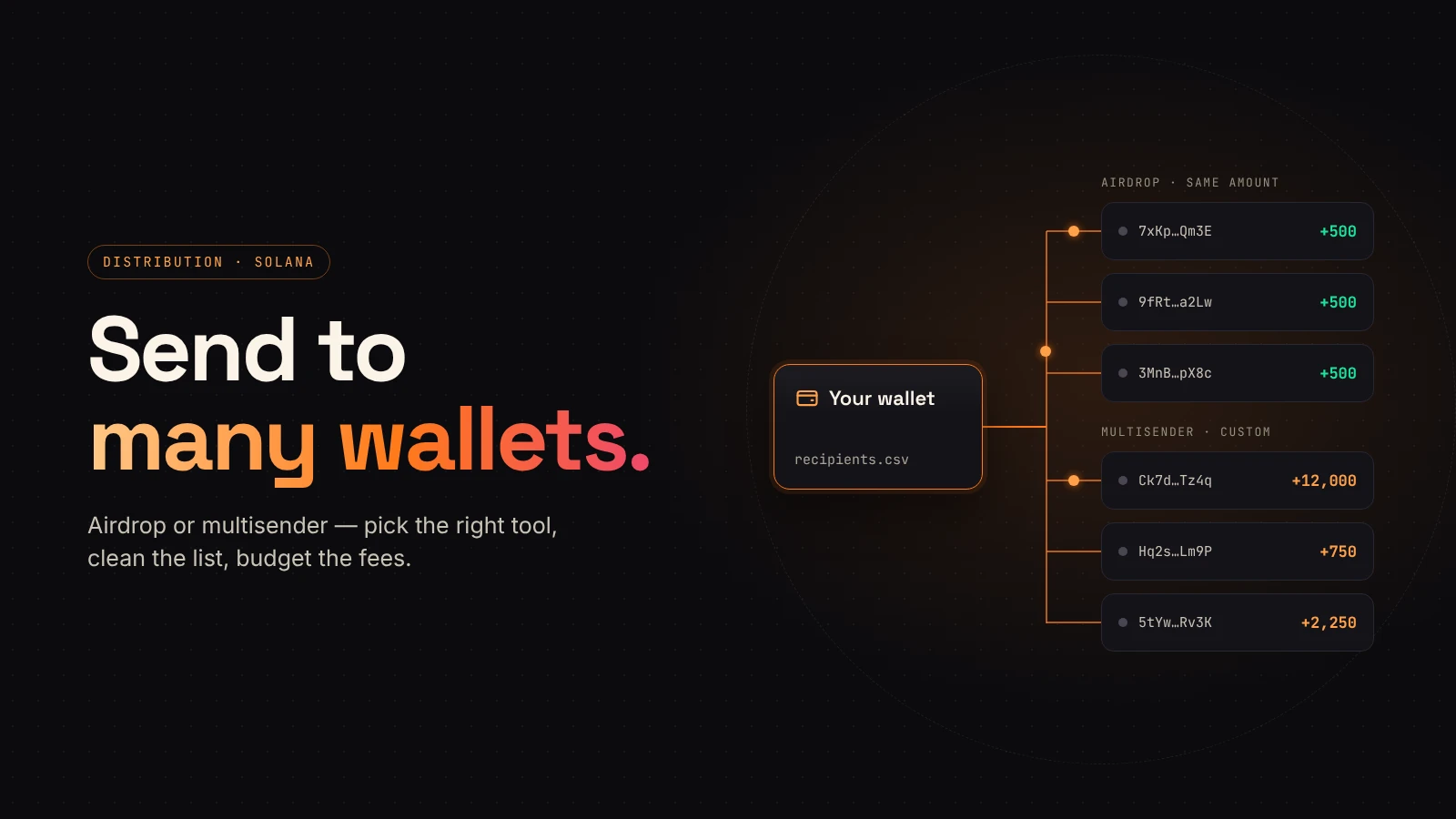
At some point most token projects need to send tokens to more than a handful of wallets. You might be rewarding early supporters, paying contributors or moving allocations to the wallets named in your launch plan. Sending each transfer by hand is slow and easy to get wrong.
Two tools solve this problem in slightly different ways. This guide explains when to use an airdrop, when to use a multisender, and what to check before either one leaves your wallet.
The short answer
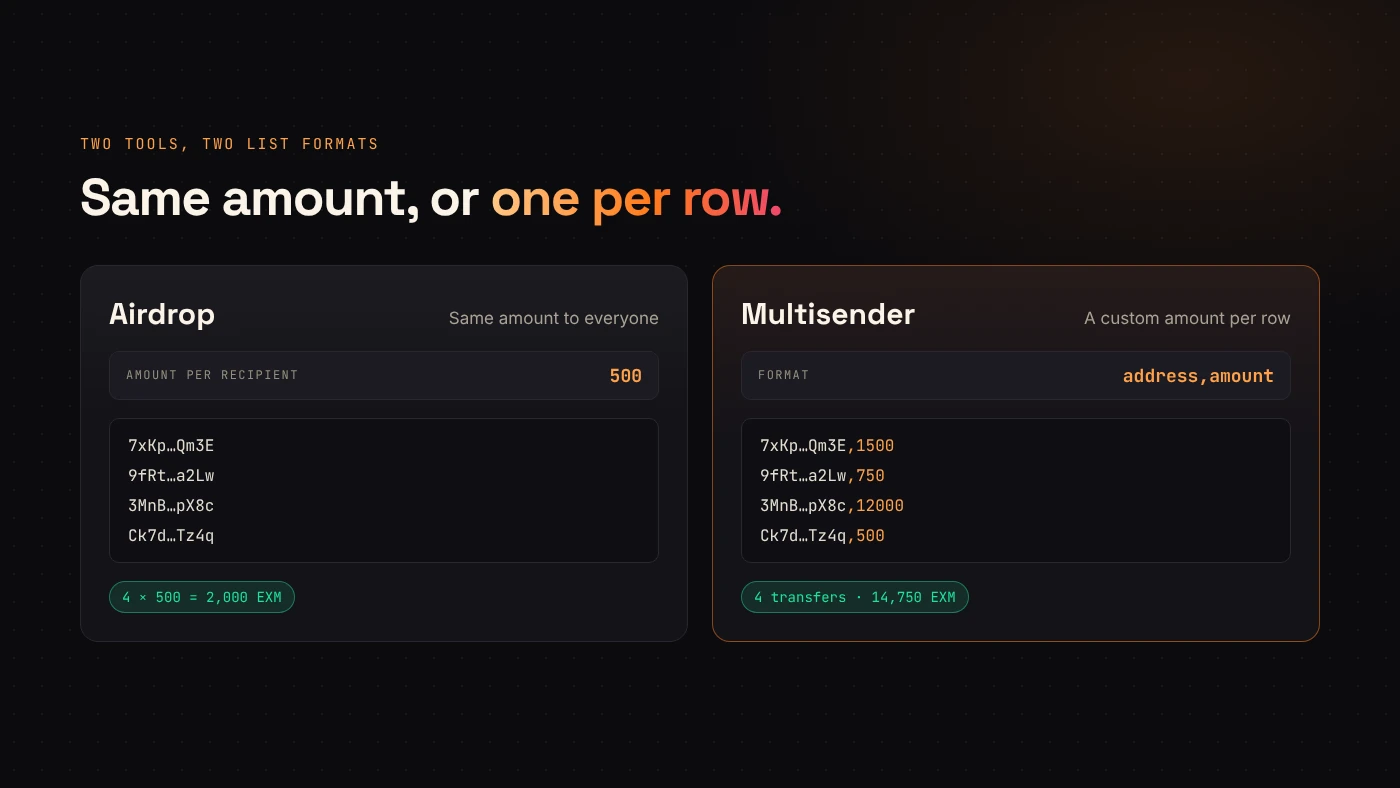
- Airdrop: every recipient gets the same amount. You enter one amount and a list of addresses.
- Multisender: every recipient gets their own amount. You enter a list of address and amount pairs.
If your list has one number for everyone, use an airdrop. If the amounts differ, for example because of contribution size or vesting tranches, use a multisender.
Prepare the recipient list
Both tools take wallet addresses, the same addresses people share to receive SOL. You do not need to look up each person's token account.
In DegenKit's Solana tools, the formats are simple:
- Airdrop: one address per line, or a CSV with addresses in one column. Extra columns are ignored.
- Multisender: one
address,amountpair per line, or a CSV with those two columns.
Before importing, remove duplicates, check that every row is a valid Solana address, and keep a copy of the final file. That file becomes your record of who was supposed to receive what.
Why long lists go out in batches
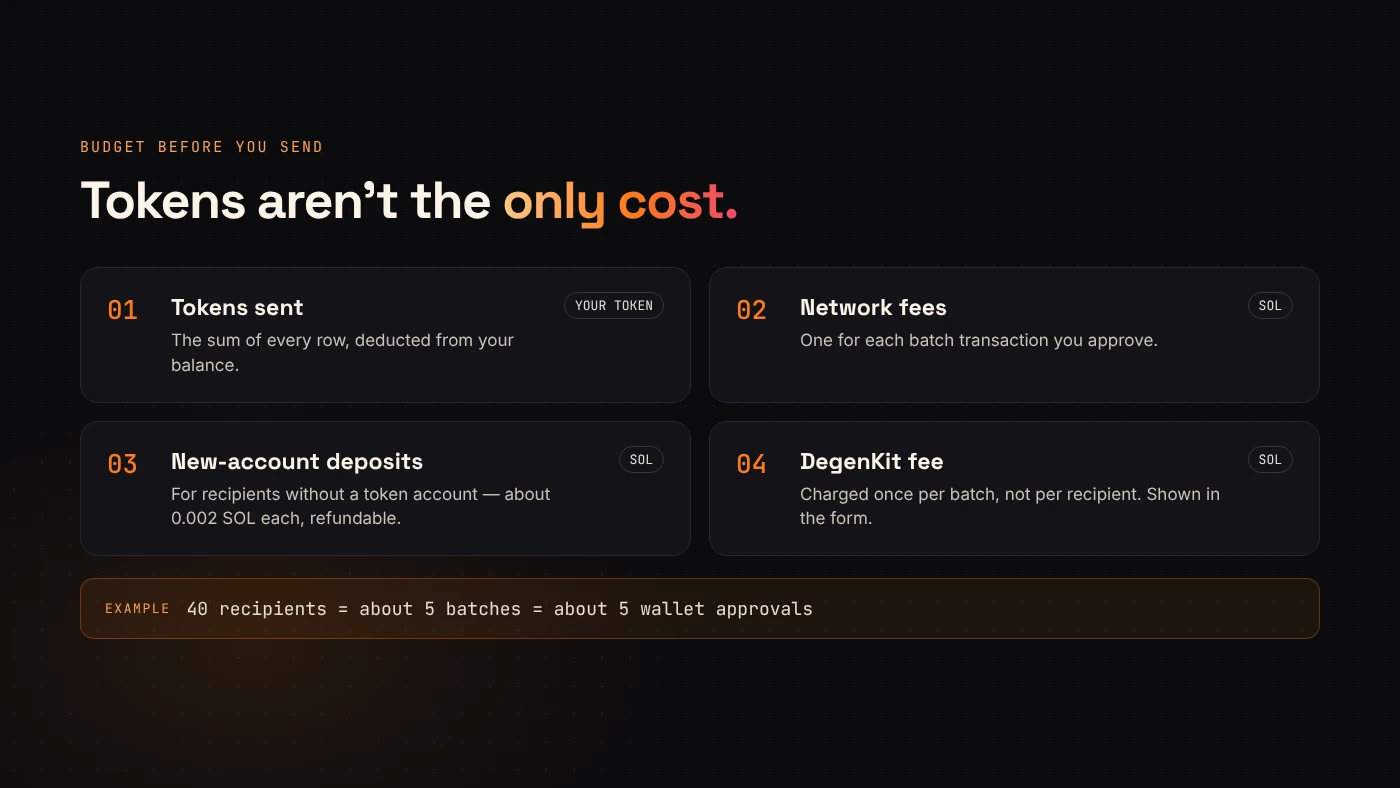
Solana transactions have a size limit, so one transaction can only hold a limited number of transfers. DegenKit groups recipients into small batches and sends each batch as its own transaction. You approve each batch in your wallet, and the tool shows its progress as it goes.
DegenKit's service fee applies once per batch, not once per recipient. The current fee is shown in the tool before you sign.
Token accounts and SOL costs
On Solana, tokens sit in token accounts. The default one for a wallet and mint is the associated token account. If a recipient has never held your token, that account has to be created during the transfer.
According to Solana's documentation, creating an associated token account requires a refundable minimum balance for its storage, plus the transaction fee. The payer funds that balance. When you send to many new holders, the sender usually pays, so budget SOL for account creation as well as network fees.
DegenKit uses an idempotent instruction for this step. It creates the account when it is missing and still succeeds when the account already exists.
Before you press send
Run through a short checklist:
- Total amount: for an airdrop, multiply the amount by the number of recipients. For a multisender, add up the amount column.
- Balance: confirm that the sending wallet holds that total of the token.
- SOL: keep enough for fees and possible account creation.
- Decimals: check that the amounts use whole tokens, as the tool expects.
- First run: if the list is long, try a small list first and check the results in an explorer.
- Records: save the CSV and the transaction signatures together.
Think about the recipients
A transfer that nobody asked for can look like spam. Many wallets hide or flag unknown tokens, and people are rightly cautious about tokens that appear without explanation.
Tell recipients what they are receiving and why. Publish the token's mint address so people can check it. Avoid describing a distribution as a reward with guaranteed value. A transfer moves tokens; it does not create demand for them.
Common questions
Can I mix equal and custom amounts?
Use the multisender and write the same amount on the rows that should match.
What happens if one batch fails?
Each batch is a separate transaction, so earlier confirmed batches stay confirmed. Check which addresses were covered before you resend, so nobody receives twice.
Wrap up
Choose the airdrop when every wallet gets the same amount, and the multisender when amounts differ. In both cases, prepare a clean list, budget SOL for fees and new accounts, and keep the signatures with your records. Open Airdrop and Multisender on DegenKit when your list is ready.