Creating a Token vs. Adding Liquidity: Two Different Milestones
A new token cannot be traded until a liquidity pool exists. Learn what a pool is, how the starting price is set, what LP tokens do and what locking or burning them means.
 DegenKitOctober 29, 2026 · 5 min read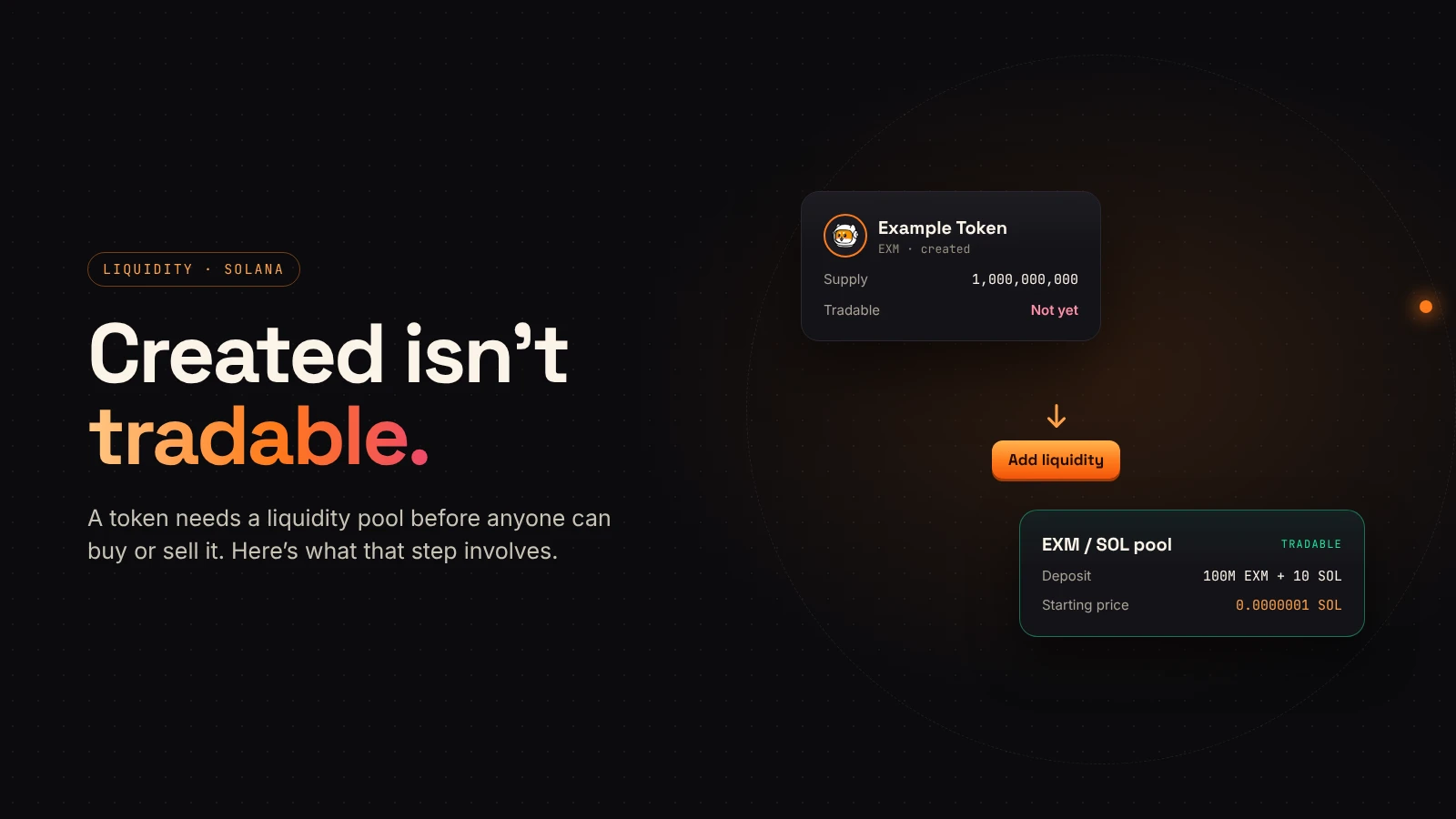
Many first-time creators expect their token to be tradable the moment it is created. It is not. Creating a token makes the supply exist in your wallet. Adding liquidity creates the market where people can buy and sell it.
These are two separate steps with different costs, risks and evidence. This guide explains the second one.
What creating a token gives you
After creation you have a mint (or a contract on EVM chains), a fixed supply in your wallet and a contract address. Nobody else can buy the token yet, because there is nothing to buy it from. Explorers can show it, but price trackers have no market to read.
What a liquidity pool is
Uniswap's support center describes a liquidity pool as a pairing of tokens in a smart contract that is used for swapping on decentralized exchanges. On Solana, that usually means your token paired with SOL or USDC.
Traders swap against the pool. When someone buys your token, they add SOL and take tokens out. When someone sells, the opposite happens.
The starting price comes from your deposit
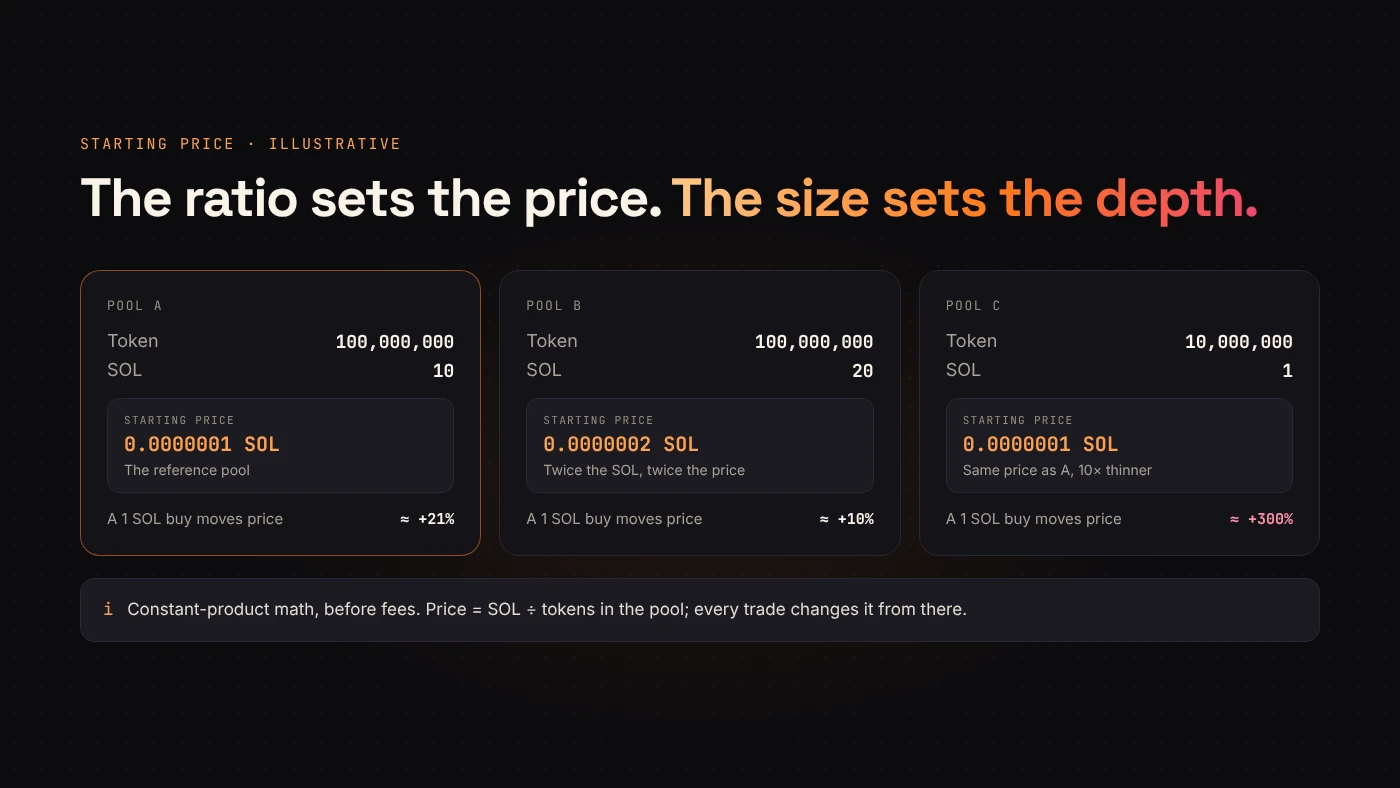
When you create a pool, you deposit both sides: some of your token and some SOL or USDC. Raydium's documentation explains that the ratio of the initial deposit sets the starting price.
A simple illustration: deposit 100,000,000 tokens and 10 SOL, and one token starts at 0.0000001 SOL. Deposit the same tokens with 20 SOL, and the starting price doubles. The amounts also set how deep the market is. A small pool moves a lot when someone trades.
LP tokens are your receipt
In return for your deposit, the pool gives you LP tokens. They represent your share of the pool and let you withdraw your liquidity later. Liquidity providers also earn a share of trading fees from swaps through the pool.
Whoever holds the LP tokens can remove the liquidity. That is why buyers care about them.
Locked, burned or neither
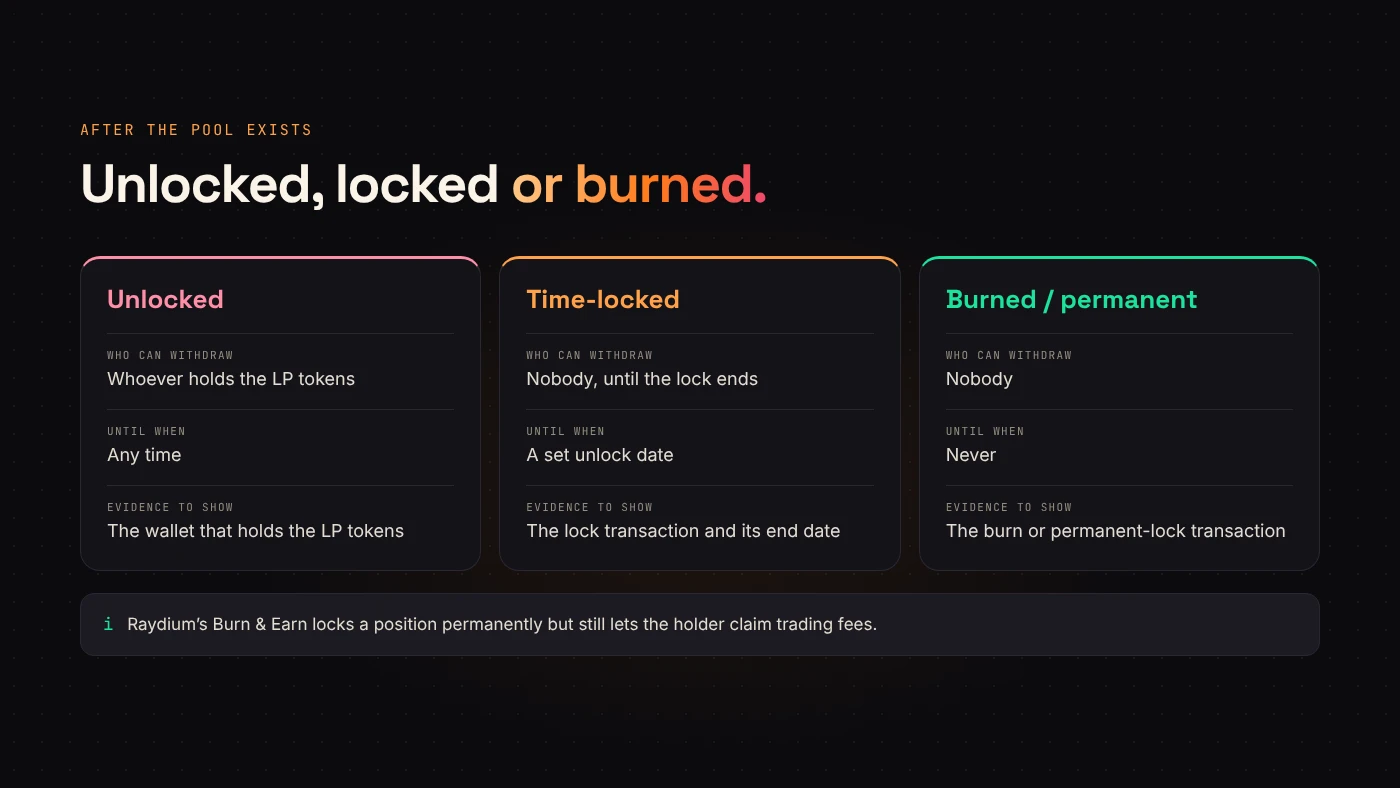
Buyers often ask whether liquidity is locked or burned. Each option means something different:
- Neither: the creator can withdraw all liquidity at any time.
- Locked: the LP tokens sit in a contract or service that blocks withdrawal for a period. The lock ends at some point.
- Burned or permanently locked: withdrawal becomes impossible. Raydium's Burn & Earn permanently locks a position while still letting the holder claim trading fees.
Whichever you choose, publish the transaction. A claim without evidence is just a claim.
Adding liquidity with DegenKit
On Solana, DegenKit's Create Liquidity tool opens a Raydium standard pool in one signature. You choose your token, pair it with SOL or USDC, and enter both amounts. The tool shows the resulting starting price and market cap before you sign.
A few things to know:
- The starting price cannot be edited after the pool is created.
- Raydium charges its own one-time pool creation fee, and DegenKit adds a service fee. Both are shown before you sign.
- The LP tokens go to your wallet. The Remove Liquidity tool can withdraw all or part of a position later.
On DegenKit's EVM networks, you add liquidity through a DEX that supports the network. If you created a tax token, mark the pool under My Tokens → Manage tax afterwards so the tax starts applying.
Questions people ask
How much liquidity should I add?
There is no correct number. Add only what you can afford to have in the pool, and remember that thin liquidity makes the price move sharply.
Does adding liquidity guarantee a price?
No. The starting price is just the first ratio. After that, every trade changes it.
Wrap up
Creating a token and adding liquidity are separate milestones. The first makes the supply exist; the second makes it tradable and sets the starting price. Decide what happens to the LP tokens, and publish proof of it. Open Create Liquidity on DegenKit when your token and amounts are ready.