Solana Token Metadata: Name, Symbol, Image and Why Locking Matters
Where a Solana token's name, symbol and image actually live, who can change them, and what locking metadata does — and doesn't — protect.
 DegenKitOctober 26, 2026 · 5 min read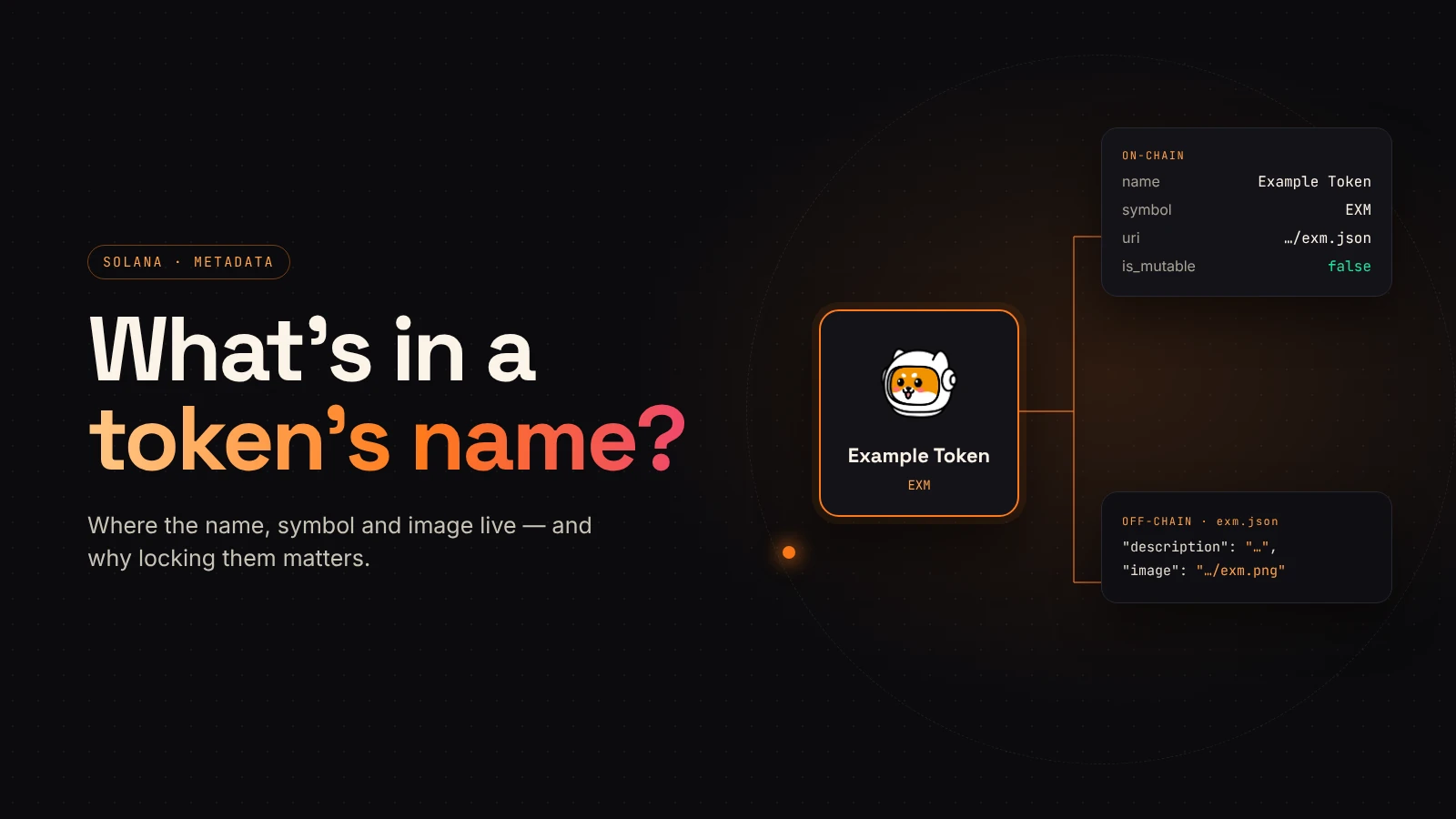
When a wallet shows a token's name and logo, it is not reading them from the token itself. A Solana mint account stores supply, decimals and authorities. The name, symbol and image live somewhere else, and that "somewhere else" decides who can change them later.
This guide explains how Solana token metadata is structured, what locking it means, and how to check it.
The mint doesn't hold the name
A Solana mint account records the numbers: supply, decimals, mint authority and freeze authority. Everything people recognize the token by is added through metadata.
Most tokens use the Metaplex metadata standard. It creates a separate metadata account linked to the mint. Tokens built with the newer Token Extensions program can store metadata directly on the mint instead. The idea is the same in both cases: identity is stored separately from supply.
What lives on-chain
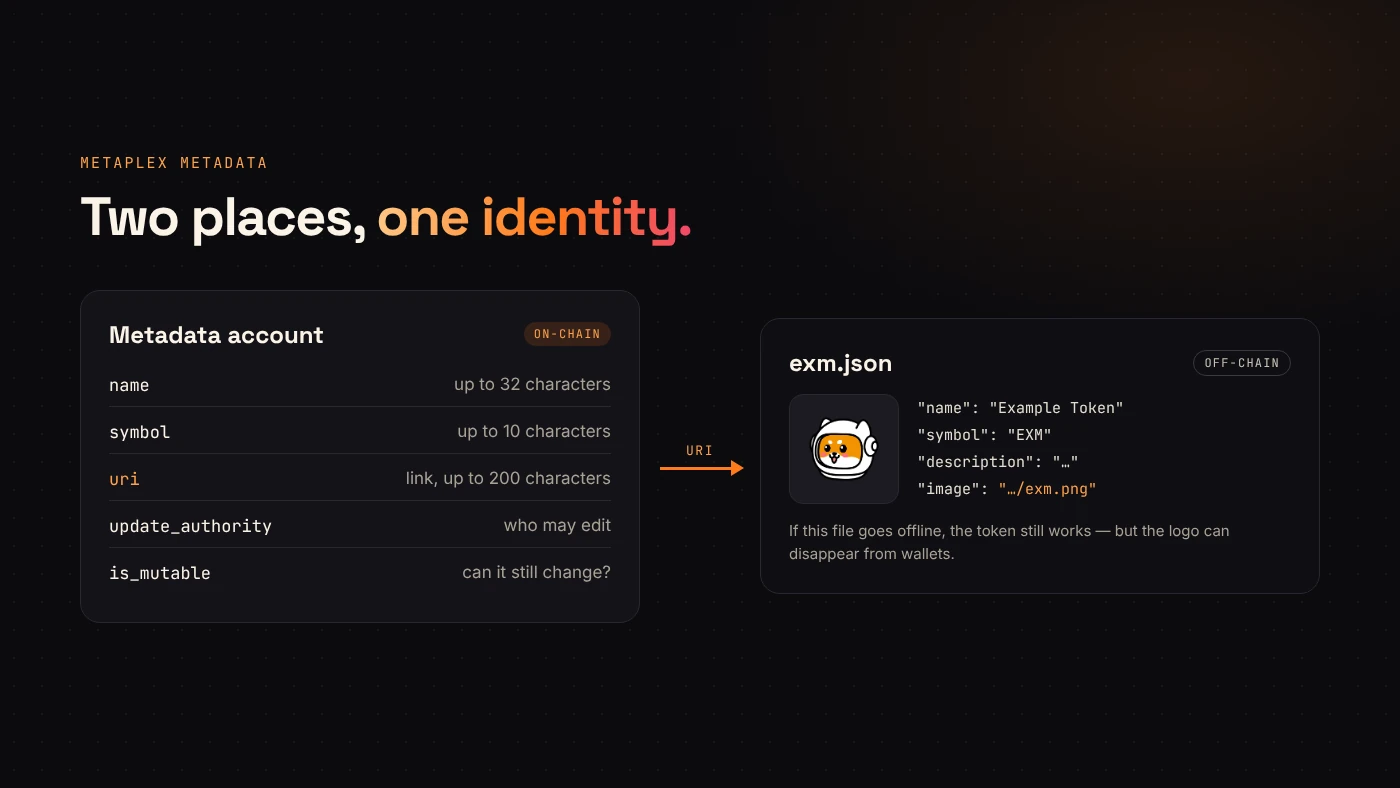
According to Solana's documentation, a Metaplex metadata account stores:
- Name: up to 32 characters.
- Symbol: up to 10 characters.
- URI: a link of up to 200 characters to a JSON file.
- Update authority: the address allowed to change the metadata.
- Is mutable: whether the metadata can still be updated.
These fields are what explorers and wallets read first.
What lives off-chain
The URI points to a small JSON file. For a fungible token it usually contains the name, symbol, a description and a link to the image. Wallets fetch that file to show the logo.
This split has a practical consequence. The on-chain record can be permanent while the files it points to sit on ordinary storage. If the JSON or the image becomes unreachable, the token keeps working but the logo can disappear from wallets.
Who can change it
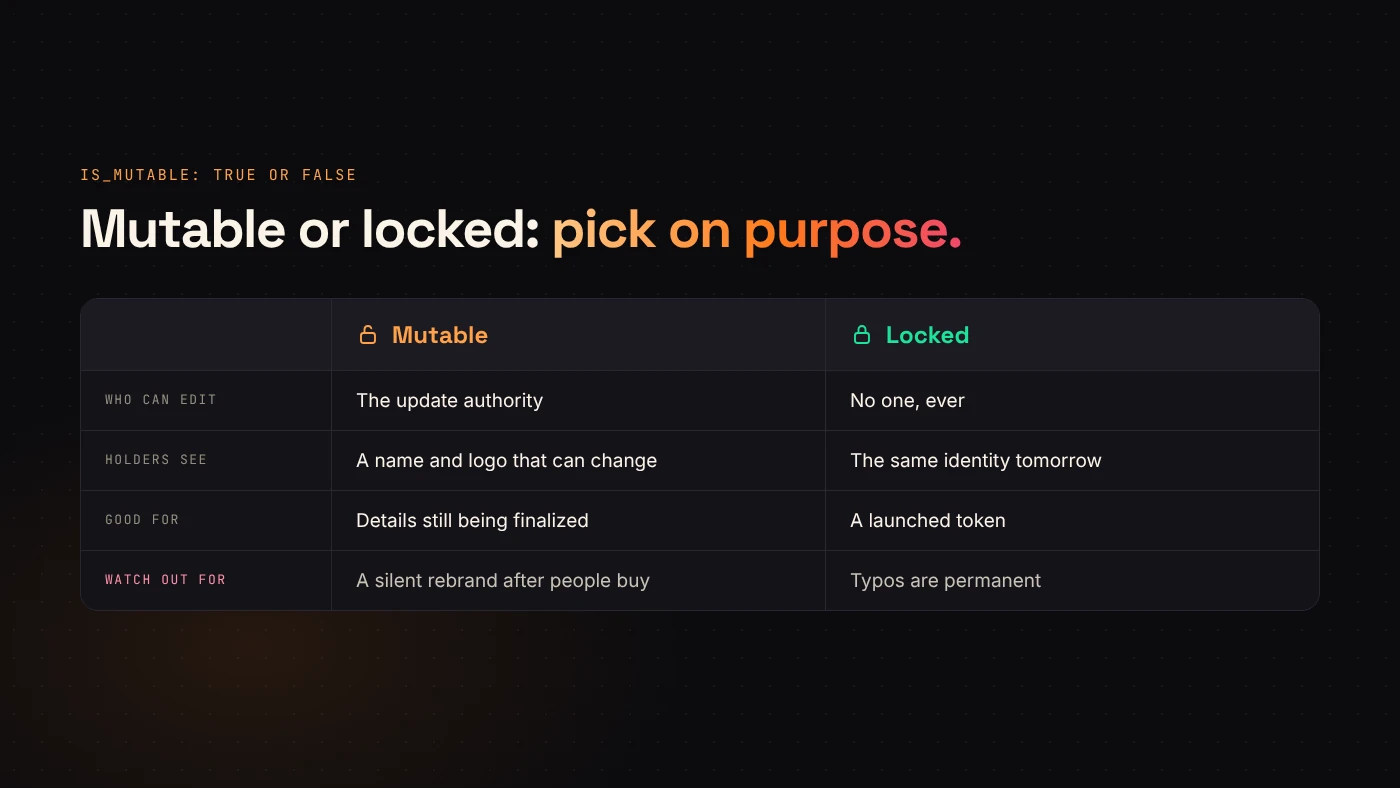
While metadata is mutable, the update authority can change the name, symbol and URI. Metaplex's documentation explains that updates only work while the Is Mutable flag is true. Once it is set to false, future updates fail.
That is useful for a project that genuinely needs to fix a typo or move its image. It is also a risk for holders: a token can change its name or logo after people have bought it, and impersonation becomes easier.
What locking protects — and what it doesn't
Locking metadata stops anyone from editing the name, symbol and URI. Holders can rely on the token looking the same tomorrow.
It does not:
- revoke the mint or freeze authority, which are separate roles;
- guarantee that the image file stays online, because the file lives at the address the URI points to;
- stop someone else from creating a different token with a similar name and logo.
So treat locked metadata as one trust signal among several. Always publish your mint address, because the address — not the name — identifies your token.
How DegenKit handles metadata
DegenKit's Solana token creator writes the name, symbol and a metadata URI on-chain in the same transaction that creates the mint. You can upload a logo and add a description; DegenKit builds the JSON file and stores it for you. If you already host your own JSON, you can paste a manual metadata URI instead.
Metadata created this way is always locked, so it cannot be edited after minting. For tokens created elsewhere with mutable metadata, the Update Metadata tool lets the update authority change the name, symbol or image. The Scanner shows whether any Solana token's metadata is locked.
How to check a token's metadata
- Open the mint address in a Solana explorer and find the metadata section.
- Compare the name and symbol with the project's official channels.
- Check whether the metadata is mutable and who holds the update authority.
- Open the URI and confirm that the JSON loads and points to the expected image.
Wrap up
A Solana token's identity lives in metadata, not in the mint. The name, symbol and URI sit on-chain; the image and description sit in the file the URI points to. Locking makes that identity permanent, but it does not replace checking authorities and the mint address. Create a token with locked metadata on DegenKit once your details are final.