How to Lock Liquidity on Ethereum, Base and BNB Chain
How to lock liquidity on Ethereum, Base and BNB Chain. Lock LP tokens with a locker until a date or burn them, and let buyers verify it on the explorer.
 DegenKitNovember 16, 2026 · 5 min read
To lock liquidity on Ethereum, Base or BNB Chain, add your token and the chain's coin to a DEX pool, then send the LP receipt to a locker contract with an unlock date, or burn it by sending it to a dead address. Buyers check it by seeing who holds the LP on Etherscan, BaseScan or BscScan.
Why lock liquidity?
Whoever holds the LP tokens can withdraw the pool's tokens and ETH or BNB at any time. Removing liquidity after people buy is a classic rug pull. Locking or burning the LP removes that option and is one of the first things buyers check. See how to spot rug pull risk.
Which DEX pool are you locking?
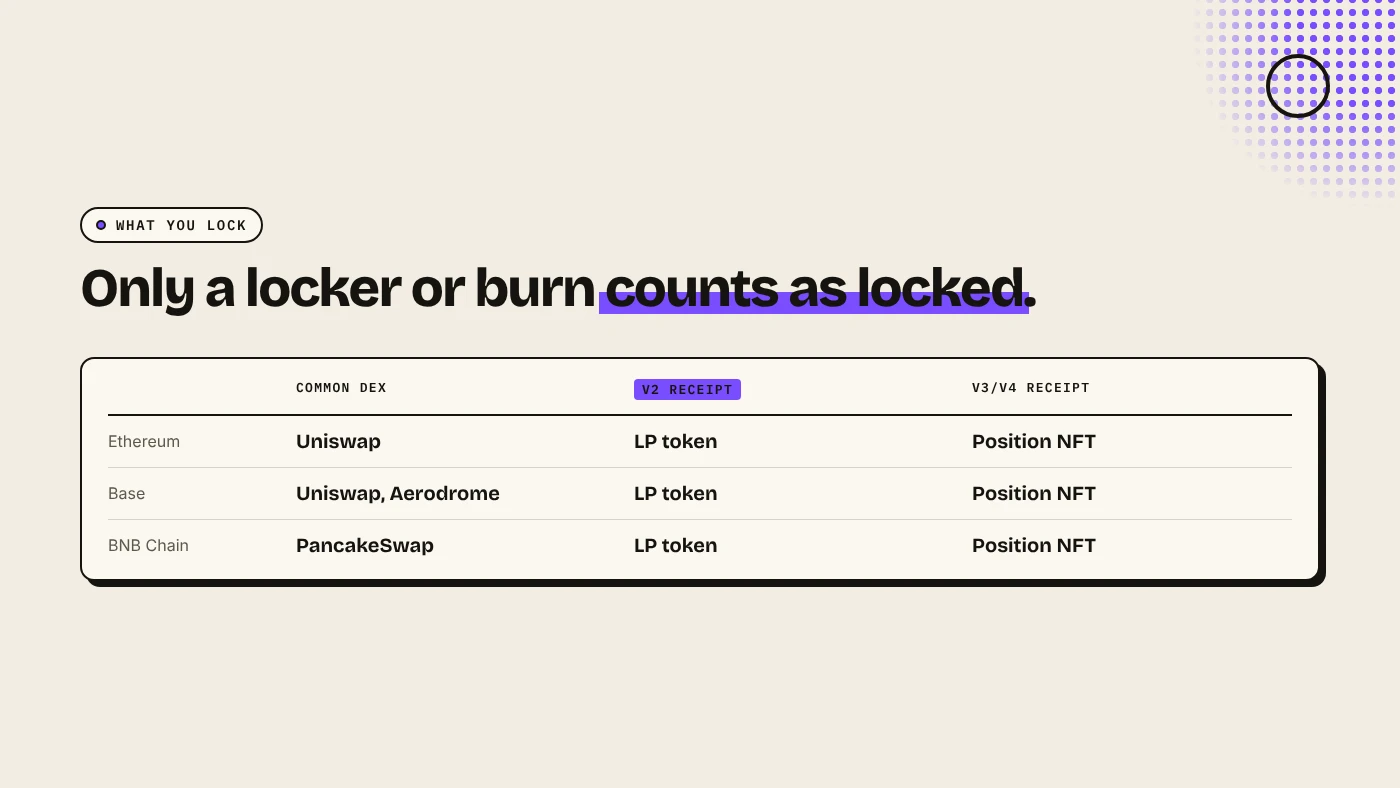
| Chain | Common DEX | V2 receipt | V3/V4 receipt |
|---|---|---|---|
| Ethereum | Uniswap | LP token | Position NFT |
| Base | Uniswap, Aerodrome | LP token | Position NFT |
| BNB Chain | PancakeSwap | LP token | Position NFT |
V2 LP tokens are the easiest to lock and the easiest for buyers to check. For pool setup, see adding liquidity on Uniswap, on PancakeSwap, or Aerodrome vs Uniswap on Base.
How do you lock with a locker?
- Pick a locker that supports your chain and DEX. UNCX and Team Finance are well-known options. Confirm support on their site before you start.
- Connect the wallet that holds the LP tokens.
- Select the pair or paste the pair address.
- Choose the amount to lock. Most projects lock most or all of it.
- Set the unlock date. Bitbond recommends at least a year.
- Approve and confirm. Lockers charge a fee. Check it before you sign.
- Share the lock page next to your contract address.
How do you burn LP instead?
Send the LP tokens to a burn address such as 0x000000000000000000000000000000000000dEaD from your wallet. Check the address character by character. A typo sends the LP to a wallet someone might control.
Burning is permanent. You give up the LP's share of the pool and any trading fees it earns.
Lock or burn?
- Burn for a meme coin with no plans to move liquidity. It is the strongest signal.
- Lock if you may need to migrate, add liquidity or recover the pool later. Pick a date long enough to mean something.
How do buyers verify it?
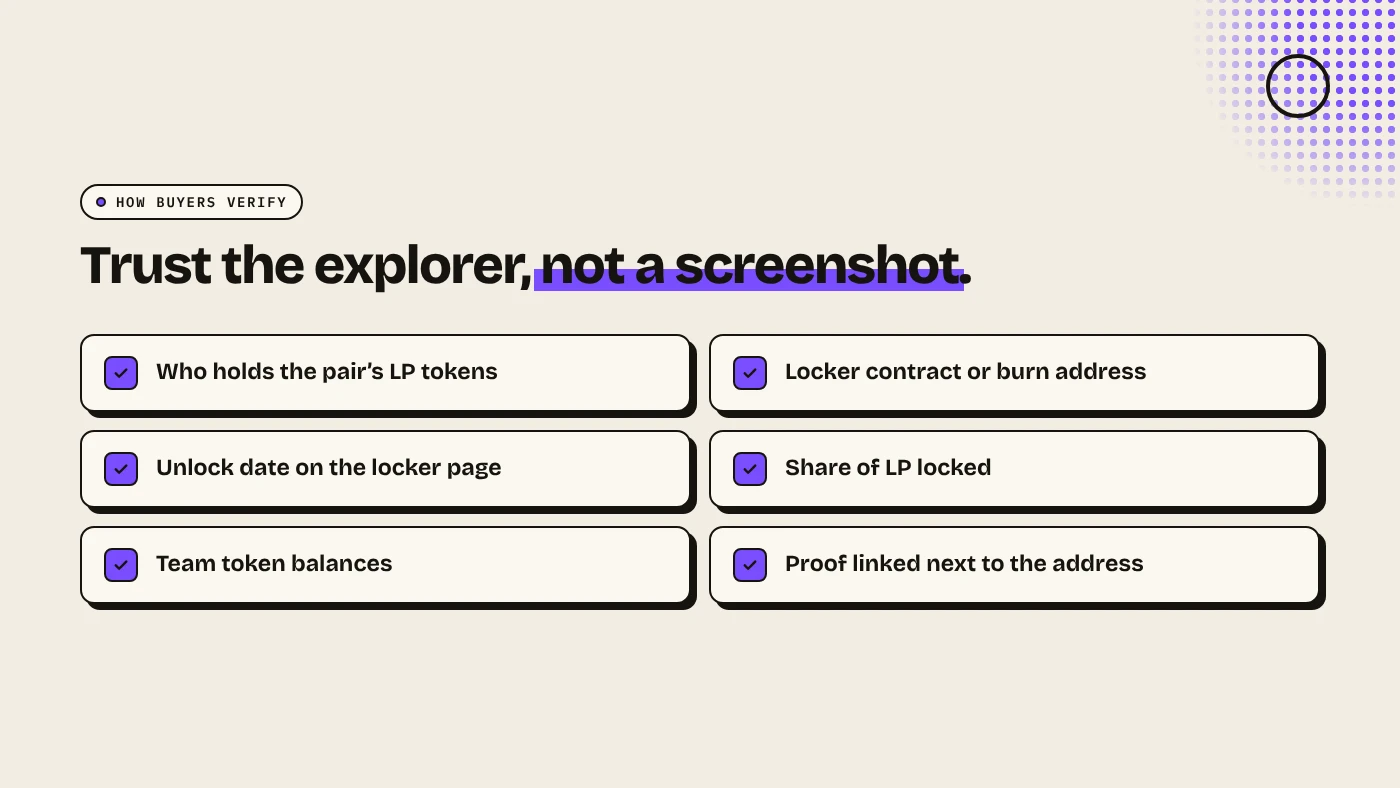
- Open the token on Etherscan, BaseScan or BscScan and find its pool.
- Open the pair contract and check Holders. LP in a locker contract or a burn address means locked.
- On the locker's page, check the unlock date and the share of LP locked.
Our guide to reading a token page on Etherscan or Blockscout shows where to click.
What are the risks?
- Short locks protect buyers only until the date.
- Partial locks leave the rest withdrawable.
- Locker risk: a lock depends on the locker contract.
- Locks do not cover the supply. A team can still sell its own tokens.
You can lose money in crypto. This is not financial advice.
FAQ
How do I lock liquidity on BNB Chain?
Add liquidity on PancakeSwap, then send the LP tokens to a locker that supports BNB Chain, or burn them.
Is burning LP better than locking it?
Burning is permanent and the strongest signal. Locking keeps the option to recover the LP after a date.
Does DegenKit lock liquidity?
No. DegenKit creates the token. You add and lock liquidity on the DEX and locker of your choice.
Sources
- Bitbond: UNCX locker review and guide
- Team Finance: How to choose a liquidity locker
- PancakeSwap docs: Liquidity pools
Create a token you fully control on the DegenKit launcher.