How to Read a Token Page on Etherscan and Blockscout
A block explorer shows a token's supply, holders, transfers and contract. Learn where each lives on Etherscan and Blockscout, and how to check a tax token's settings yourself.
 DegenKitOctober 30, 2026 · 4 min read
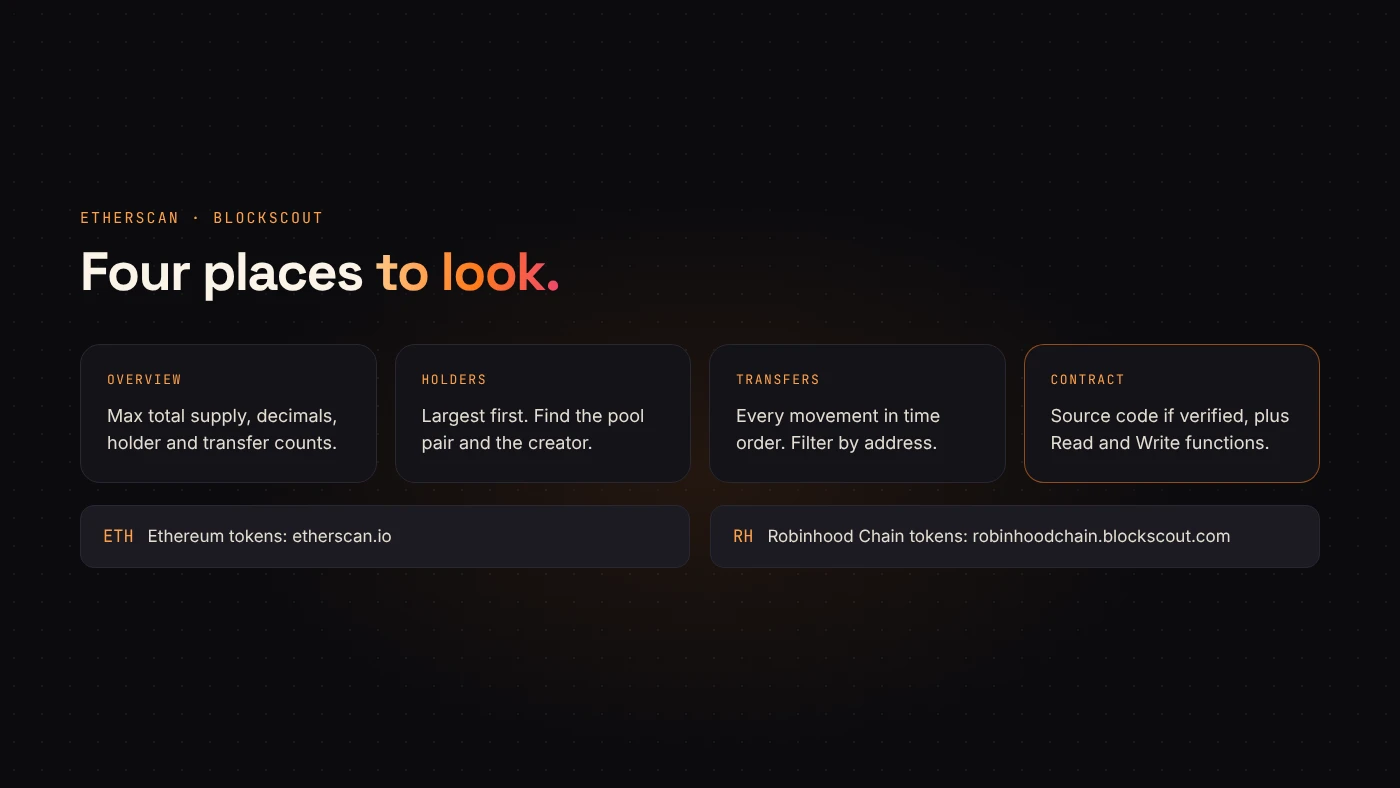
Every EVM token has a public page on a block explorer. On Ethereum that is usually Etherscan. On Robinhood Chain it is Blockscout. The page answers most of the questions buyers ask, if you know where to look.
First, the right explorer
A token address only means something on its own network. Ethereum tokens are at etherscan.io. Robinhood Chain tokens are at robinhoodchain.blockscout.com. DegenKit links to the right one after you create a token and in My Tokens.
The overview
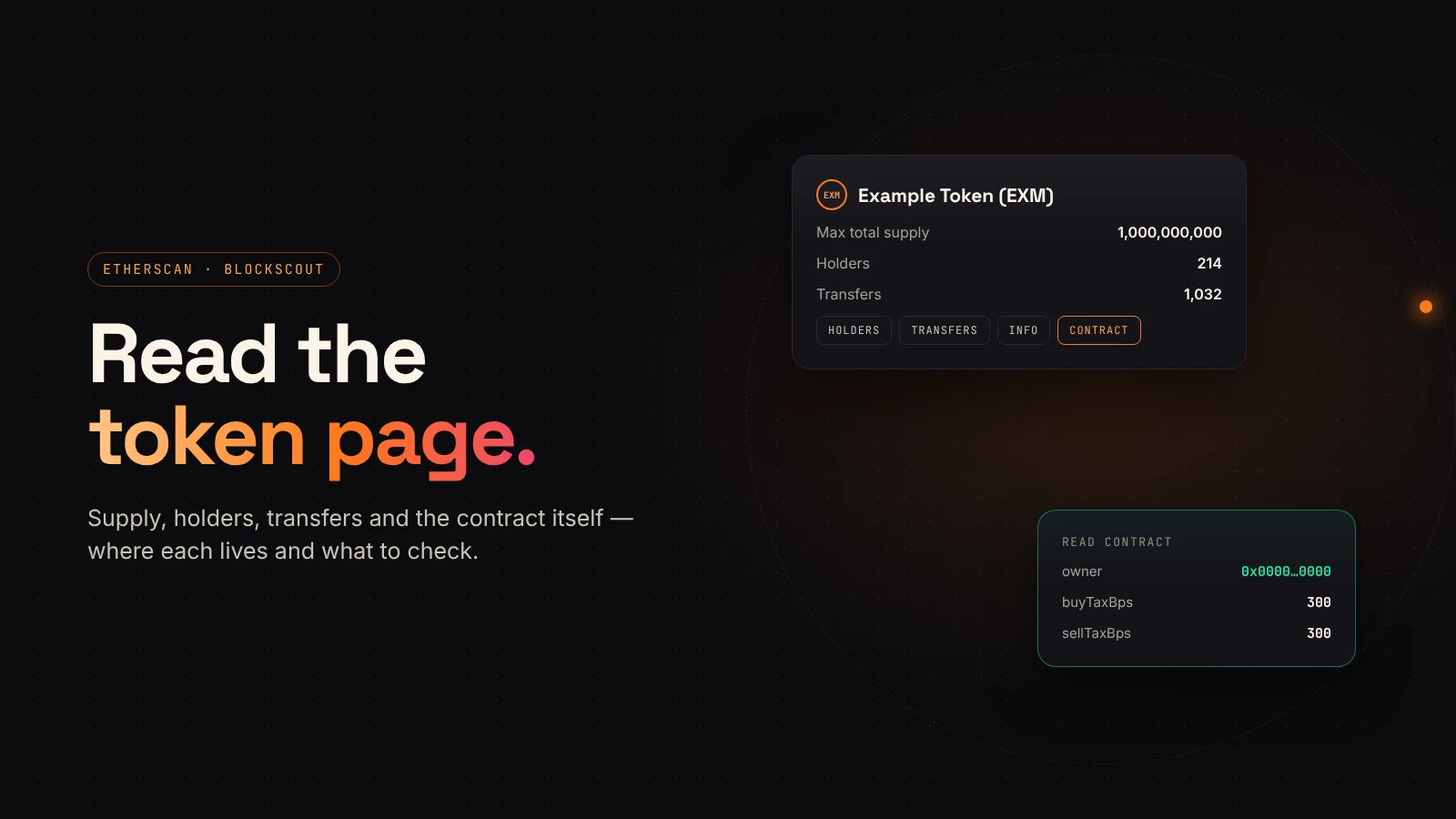
Etherscan's guide to the token page describes the top section: name, symbol, the max total supply, the number of holders and the number of transfers. Blockscout shows the same basics.
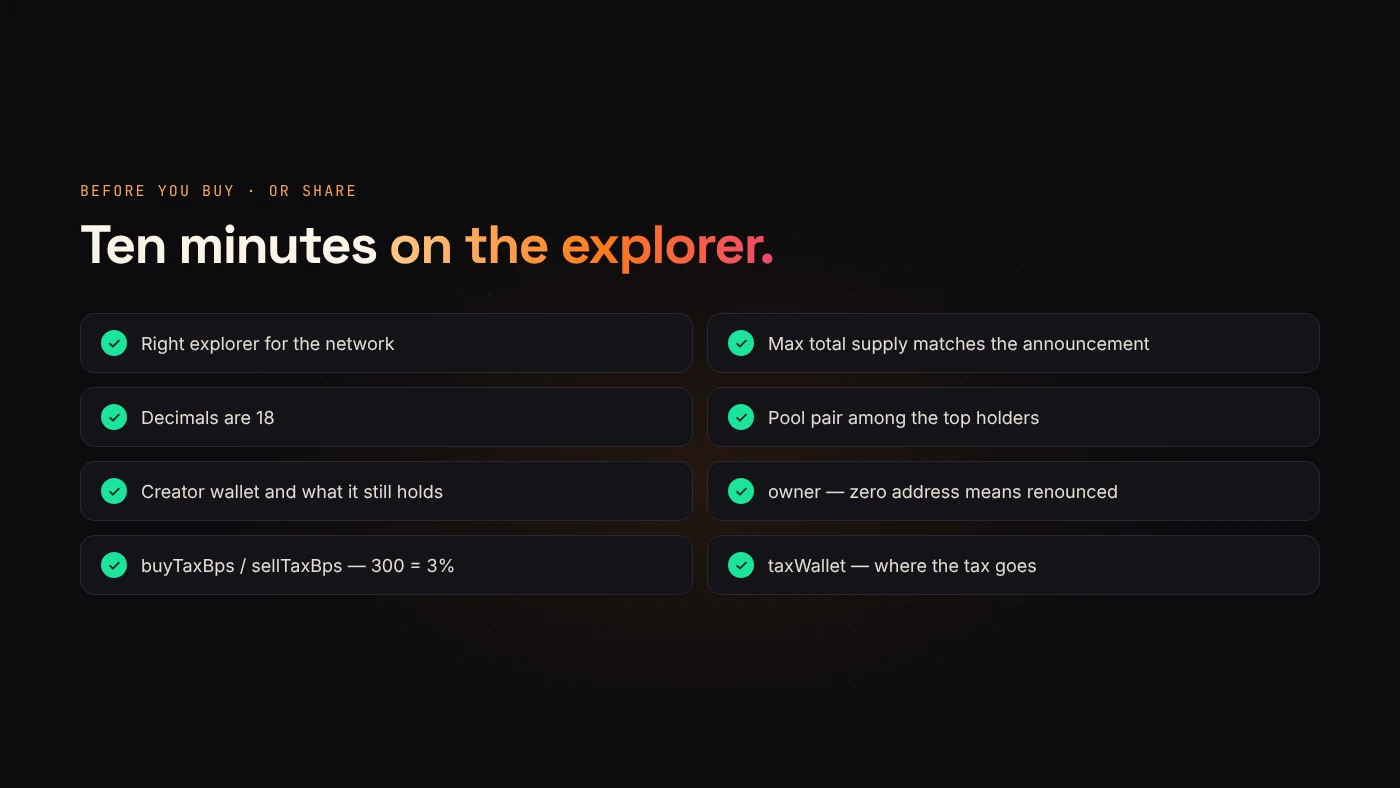
Check:
- Max total supply matches what the creator announced.
- Decimals are 18 for DegenKit EVM tokens.
- Holders is a reasonable number for how long the token has existed.
Holders
The Holders tab lists every holder in order of the amount they hold. Look for:
- The pool's pair address, usually among the largest.
- The creator wallet and how much it still holds.
- Several similar-sized holders that appeared at the same time.
Transfers
The Transfers tab shows every movement in time order. You can see when the supply left the creator, when liquidity was added and how buyers arrived. You can filter by address or transaction hash.
The contract
The Contract tab shows the source code, when it has been verified, and the contract's Read and Write functions. Read functions show stored values without a transaction.
For a DegenKit tax token, read:
owner— the zero address means ownership was renounced.buyTaxBpsandsellTaxBps— rates in basis points, so 300 is 3%.taxWallet— where the tax goes.
Logos and project info
Explorers add logos and links separately from the contract. Blockscout's documentation explains that it takes market data from CoinGecko and CoinMarketCap, and accepts owner-submitted updates only after the contract source is verified and ownership is proven. A missing logo on a new token is normal. A logo is not proof of safety either.
Questions people ask
What does "not verified" mean?
The explorer has not been given the source code that matches the deployed bytecode, so it can't show it. The token can still work; you just see less.
Why does the explorer show a different name from the chart site?
Chart sites and explorers get logos and names from different sources. The contract address is what matters.
Wrap up
An explorer page shows supply, holders, transfers and the contract itself. On Ethereum use Etherscan, on Robinhood Chain use Blockscout, and for a tax token read the owner and rates yourself. Create or check your token from the Ethereum or Robinhood Chain launcher.