Solana Fees and Rent Explained: Where Your SOL Goes When You Create a Token
Creating a Solana token costs a network fee, a refundable rent deposit for new accounts and any service fee. Learn how each is calculated and which part you can get back.
 DegenKitOctober 31, 2026 · 4 min read
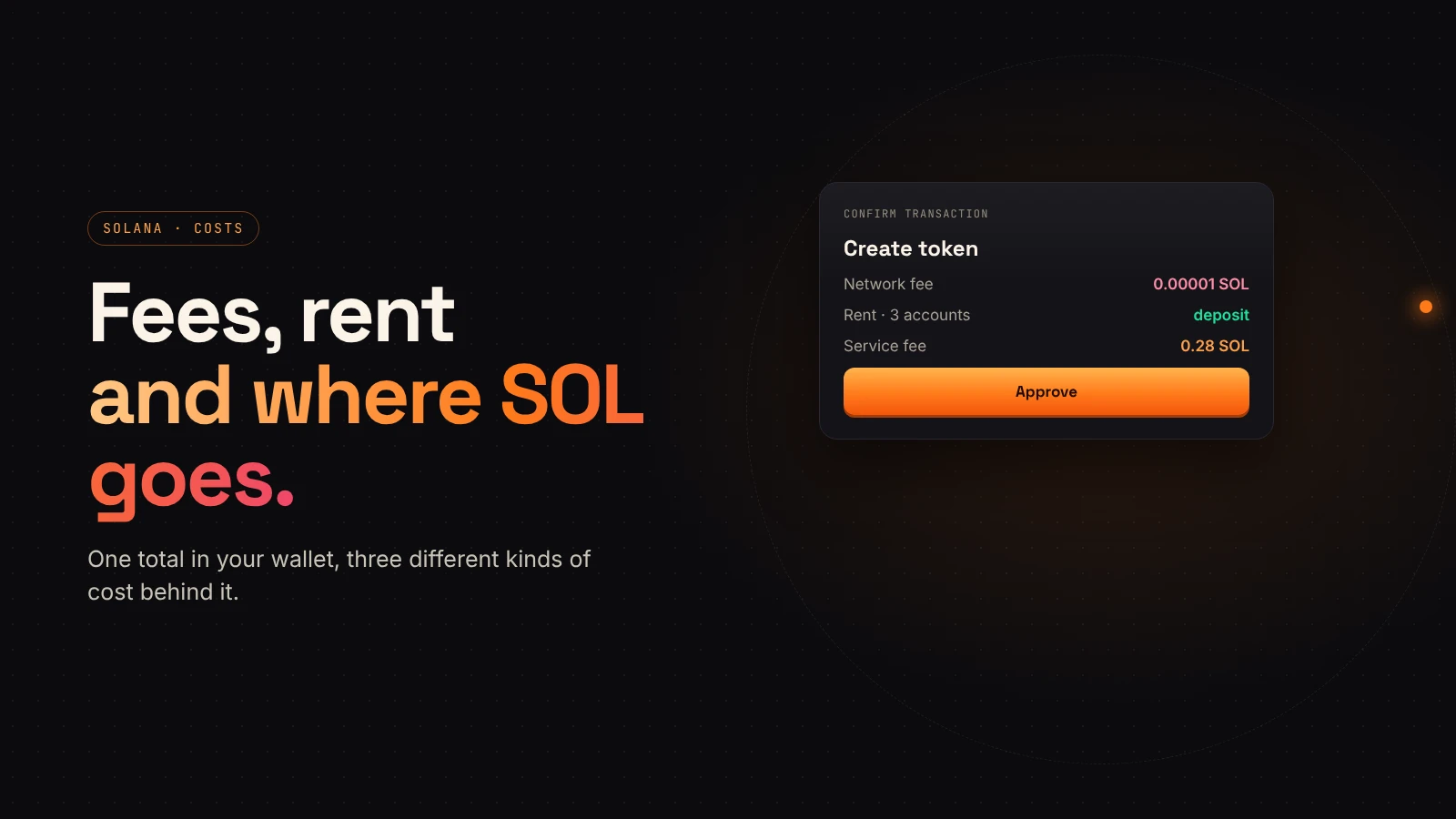
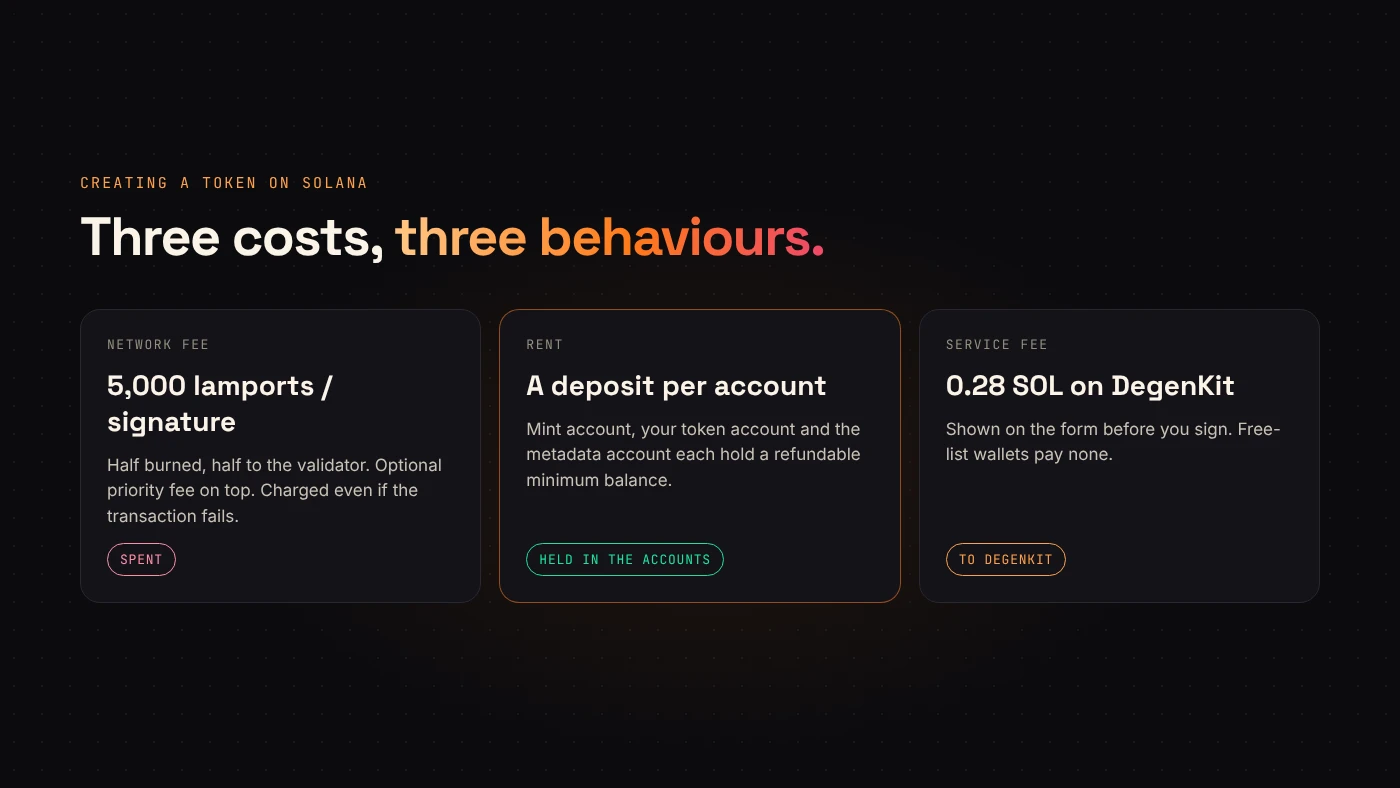
When you create a token on Solana, your wallet shows one total. Behind it are three different kinds of cost, and they behave differently: one is burned or paid to validators, one is a deposit, and one is a service fee.
1. The network fee
Solana's fee documentation sets a base fee of 5,000 lamports per signature. One SOL is 1,000,000,000 lamports. Half the base fee is burned and half goes to the validator.
A transaction can also add an optional priority fee, priced per compute unit, to get processed faster when the network is busy. The validator keeps all of it.
Two details matter:
- The fee is paid by the transaction's fee payer, which is your wallet.
- If the transaction fails, the fee is still charged.
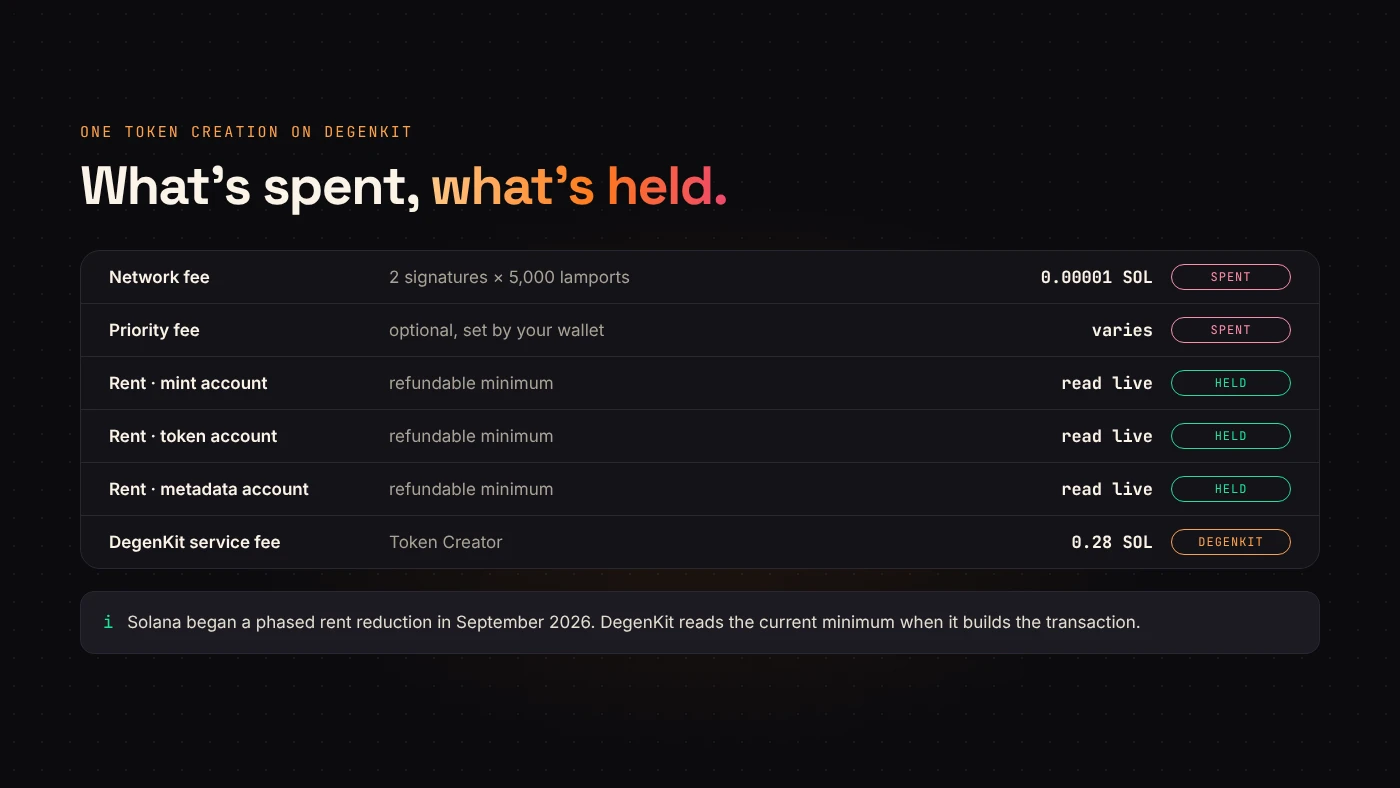
DegenKit's token creation transaction needs two signatures: your wallet and the new mint account. At the base rate that is 10,000 lamports, or 0.00001 SOL.
2. Rent: a deposit for new accounts
Every Solana account must hold a minimum balance to stay on-chain. Solana's accounts documentation describes it as a refundable minimum proportional to the account's data size. This deposit is called rent, and it isn't a fee you lose: it sits in the account.
Creating a token makes three new accounts:
- the mint account, which defines the token;
- your token account, which holds your supply;
- the metadata account, which stores the name, symbol and link to the image.
Each needs its rent deposit. DegenKit reads the current minimum from the network when it builds the transaction, rather than using a fixed number.
3. DegenKit's service fee
Creating a token on DegenKit has a 0.28 SOL service fee, shown on the form before you sign. Other tools have their own fees, listed in our guide to DegenKit's fees. This fee is separate from Solana's network fee and rent.
Putting it together
For one token creation on DegenKit, your SOL goes to:
- Network fee — two signatures at the base rate, plus any priority fee your wallet adds. Spent.
- Rent — three new accounts. Held as deposits in those accounts.
- Service fee — 0.28 SOL. Paid to DegenKit.
Keep a little more SOL than the total. Later actions such as adding liquidity, airdrops and burns each need their own fees.
Questions people ask
Can I get rent back?
Rent belongs to the account. When an account is closed, its balance can go back to whoever closes it, if the program allows it. A mint account for a live token normally stays open.
Why did I pay a fee for a failed transaction?
Solana charges the network fee whether or not the transaction succeeds. DegenKit's service fee, though, is part of the same transaction in most wallets, so it isn't charged when creation fails.
Wrap up
A Solana token creation spends a tiny network fee, deposits rent into three new accounts and pays DegenKit's service fee. Check the total in your wallet, keep extra SOL for later steps, and open the Solana launcher when you're ready.