What Burning Tokens Does — and Doesn't — Mean
Burning permanently removes tokens from supply. Learn what changes on-chain, what a burn does not guarantee, and how to verify one yourself.
 DegenKitOctober 25, 2026 · 5 min read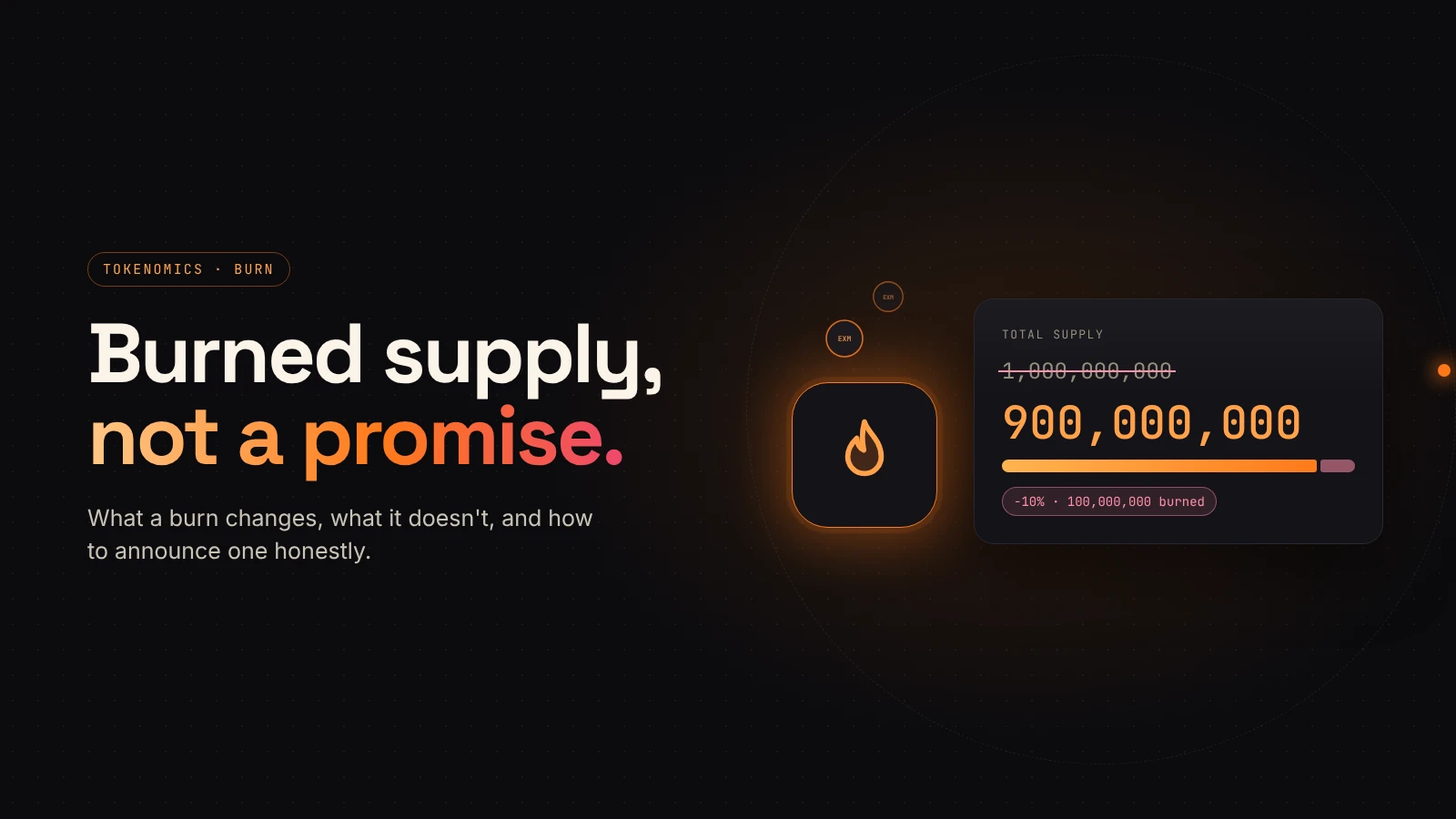
"We burned 10% of the supply" is one of the most common announcements in crypto. It sounds decisive, and sometimes it is. But a burn changes one specific thing on-chain, and it is easy to read more into it than it actually means.
This guide explains what a burn does, what it does not do, and how to check one yourself.
What a burn does on Solana
According to Solana's documentation, burning permanently decreases a token account's balance and reduces the mint's total supply by the same amount. The token account owner or an approved delegate signs the burn.
Two facts follow from that:
- Only tokens you control can be burned. You burn from your own balance, not from someone else's wallet.
- The change is permanent. Burned units do not go to another address. They no longer exist.
Tokens created with the Token Extensions program can also have a permanent delegate that is allowed to burn from any account of that mint. That is rare, and it is worth checking before you buy.
A worked example
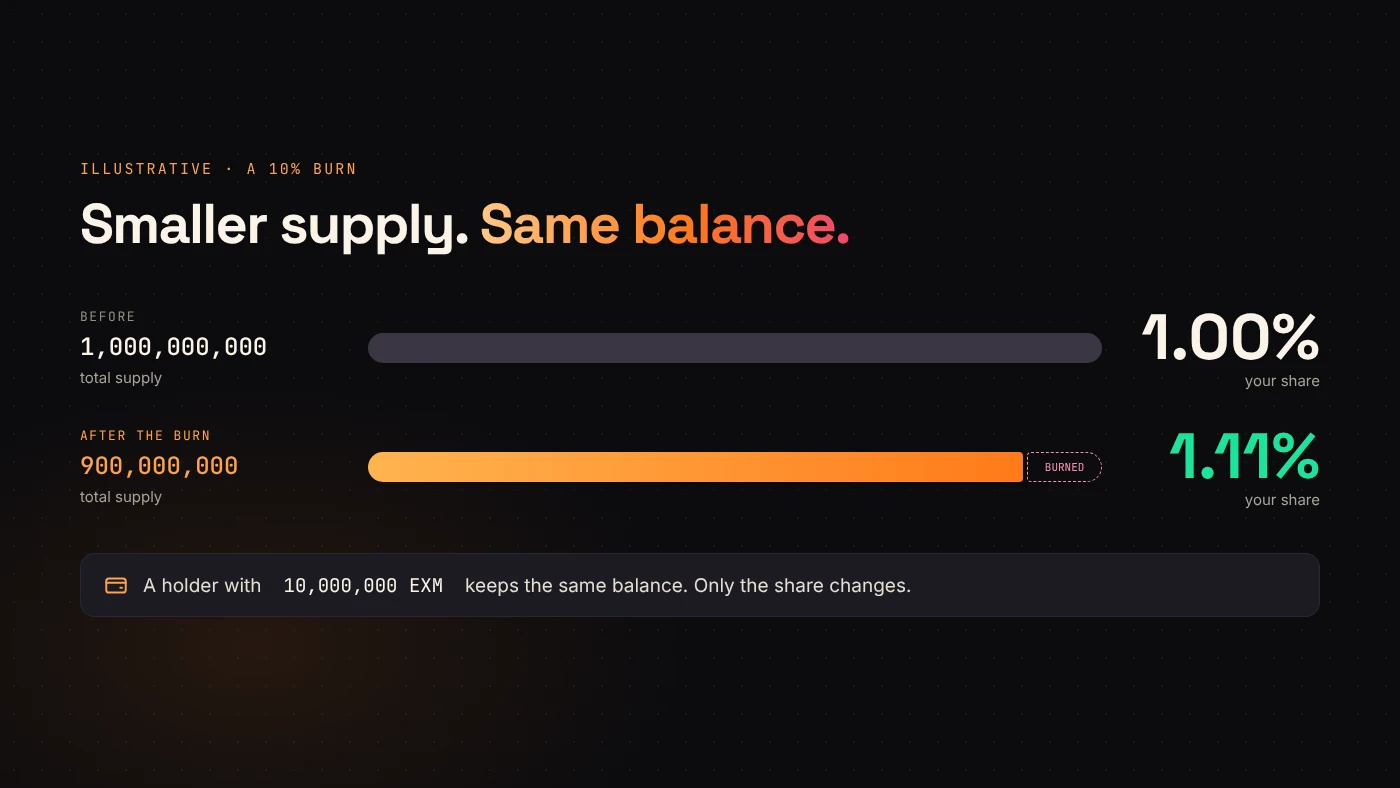
Imagine a token with a supply of 1,000,000,000. A wallet burns 100,000,000 tokens from its own balance.
- Total supply falls to 900,000,000.
- The burning wallet's balance falls by 100,000,000.
- Every other wallet keeps exactly the same number of tokens.
Because the total is smaller, each remaining holder's share of supply rises. A holder with 10,000,000 tokens owned 1% before the burn and about 1.11% after it. Their token count did not change; only the denominator did.
What a burn does not do
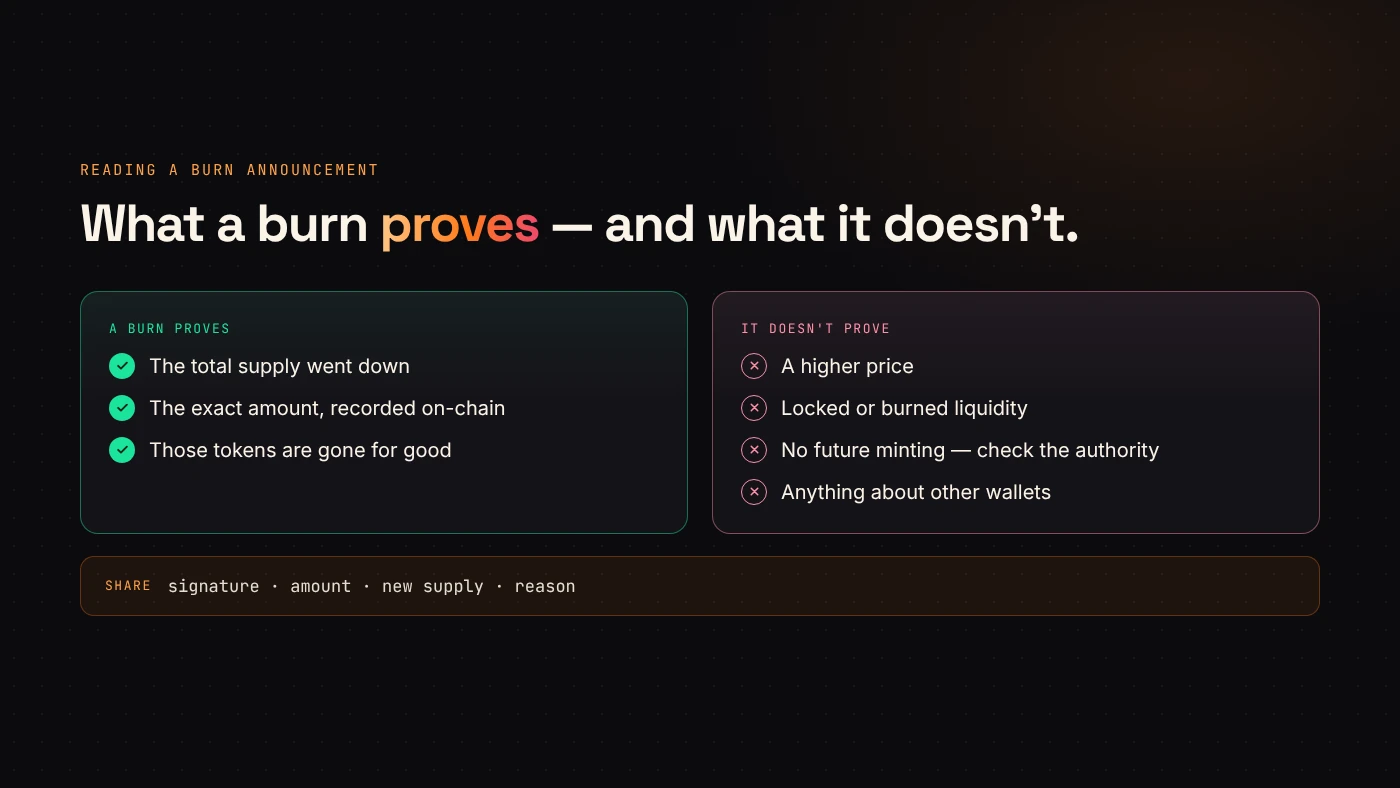
A smaller supply is a fact. A higher price is not a consequence of it. Price comes from what buyers will pay and the liquidity available to trade against.
A burn also does not:
- Add liquidity. Burning tokens from a wallet does not change what sits in a trading pool.
- Create demand. Fewer tokens do not mean more interested buyers.
- Fix the supply. If the mint authority is still active, new tokens can be minted after the burn. Check that the mint authority is revoked before treating a burn as meaningful.
- Prove intent. A team can burn part of its allocation and still hold enough to sell heavily.
"Burn" can mean three different things
The word gets used loosely. Ask which of these a project means:
- Burning project tokens. The token program destroys units and total supply goes down. This is the burn described above.
- Sending tokens to an unreachable address. The tokens become unusable, but the contract may still count them in total supply. This pattern is more common on EVM chains.
- Burning liquidity tokens. This destroys a liquidity position rather than project tokens. It makes that specific liquidity impossible to withdraw, which addresses a different risk entirely.
Each one leaves different evidence. A project that says "burned" should be able to point to the matching transaction.
How to verify a burn
You can check a Solana burn without trusting a screenshot:
- Open the burn transaction signature in an explorer and confirm it contains a burn instruction for the right mint.
- Compare the mint's total supply before and after the transaction.
- Check whether the mint authority is revoked, so the supply cannot grow back.
- Note which wallet burned the tokens and whether that matches the announcement.
Burning with DegenKit
DegenKit's Burn Token tool on Solana lets you load a mint, see your balance and burn part or all of it. Quick buttons cover 25%, 50%, 75% and the maximum. The tool only burns from the connected wallet's own balance, and the transaction is shown in your wallet before you approve it.
After the burn, keep the signature with your project records and share it if you announce the burn publicly.
Should a new project burn right after launch?
Only if the burn has a clear reason, such as removing an allocation you no longer plan to use. Burning just to create a headline can backfire when holders learn it changed nothing about liquidity or demand. Explain the reason, the amount and the wallet in the same post as the transaction.
Wrap up
A burn permanently reduces supply and raises every remaining holder's share. It does not create demand, add liquidity or guarantee a price, and it means little while the mint authority is still active. Burn tokens with DegenKit when the decision is made, and publish the evidence.