How to Launch a Token on Base: Wallet, ETH and Your First ERC-20
A step-by-step guide to creating a token on Base — adding the network, getting ETH onto it, choosing a plain or tax token, and verifying it on BaseScan.
 DegenKitOctober 29, 2026 · 5 min read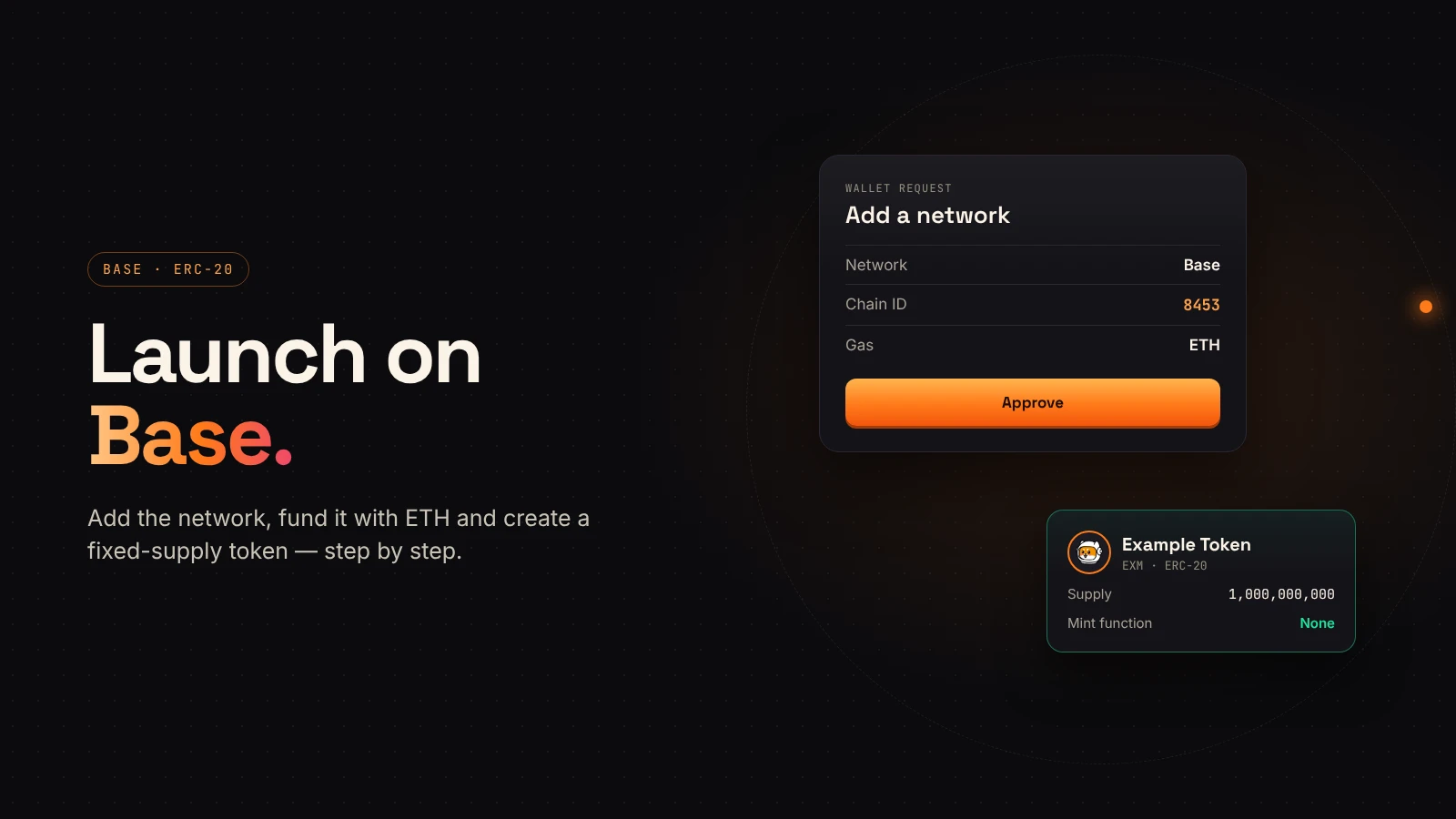
Base is an Ethereum layer 2 built on the OP Stack. Coinbase describes it as a low-cost, developer-friendly network that uses ETH as its gas token. For a token creator, that means familiar ERC-20 tokens, MetaMask-style wallets and lower fees than Ethereum mainnet.
This guide walks through the full process: set up the wallet, fund it, create the token and check the result.
What you need before you start
- An EVM wallet such as MetaMask.
- A small amount of ETH on Base for the creation transaction and later actions.
- Your token's name, symbol and total supply, written down and checked.
- A decision on whether you need a plain token or a tax token.
Step 1: Add Base to your wallet
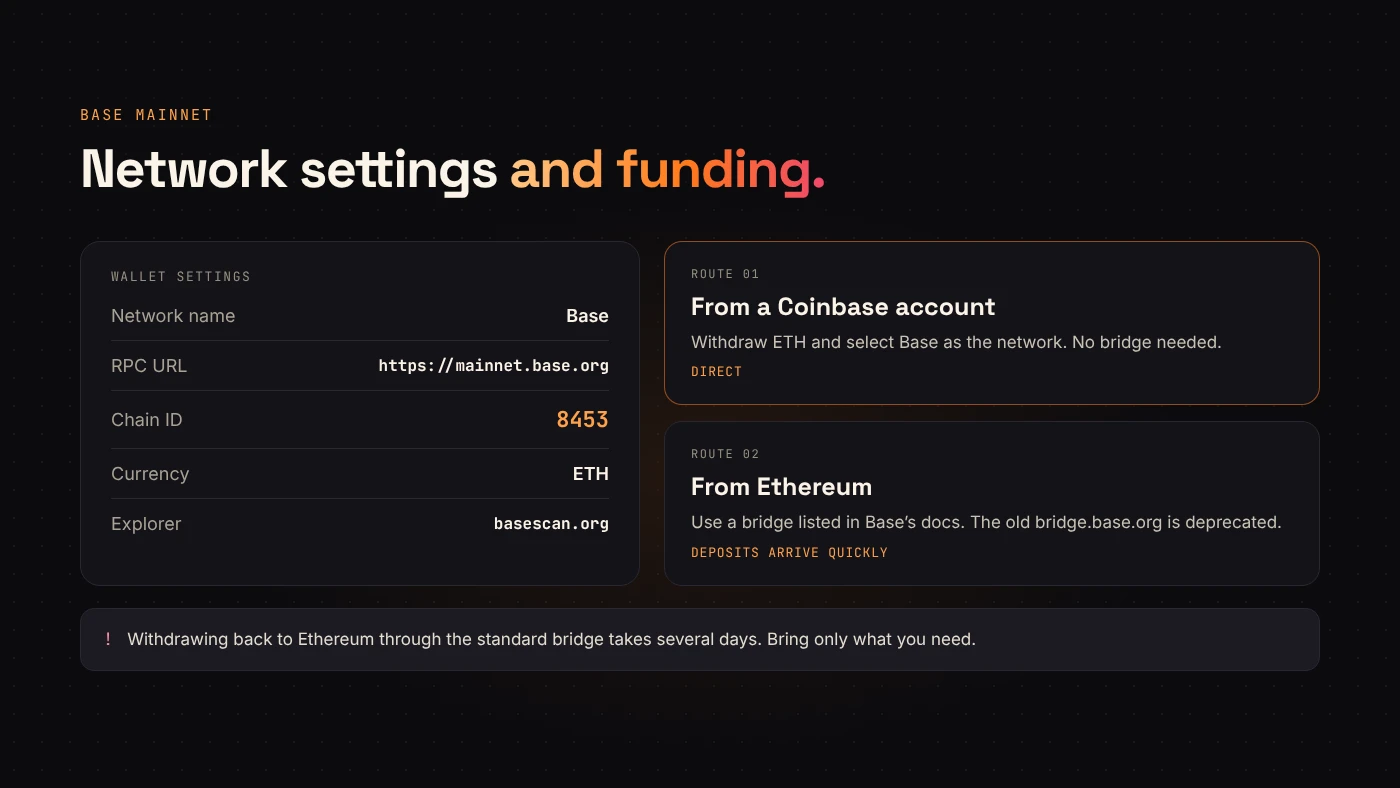
Many wallets already include Base. If yours does not, DegenKit's Base page asks your wallet to add and switch to it when you connect. The values are:
- Network name: Base
- RPC URL:
https://mainnet.base.org - Chain ID: 8453
- Currency symbol: ETH
- Block explorer:
https://basescan.org
Accept network prompts only from a site you opened yourself, and check the chain ID.
Step 2: Get ETH onto Base
ETH on Ethereum mainnet cannot pay fees on Base. According to Base's bridge documentation, there are two common routes:
- From a Coinbase account: withdraw ETH and select Base as the network. No bridge is needed.
- From Ethereum: use one of the bridges listed in Base's documentation. The old bridge at bridge.base.org has been deprecated.
Deposits to Base arrive without the long wait. Withdrawals back to Ethereum through the standard bridge take several days to finalize, so bridge only what you need.
Step 3: Choose a token type
The DegenKit Base launcher offers two creators.
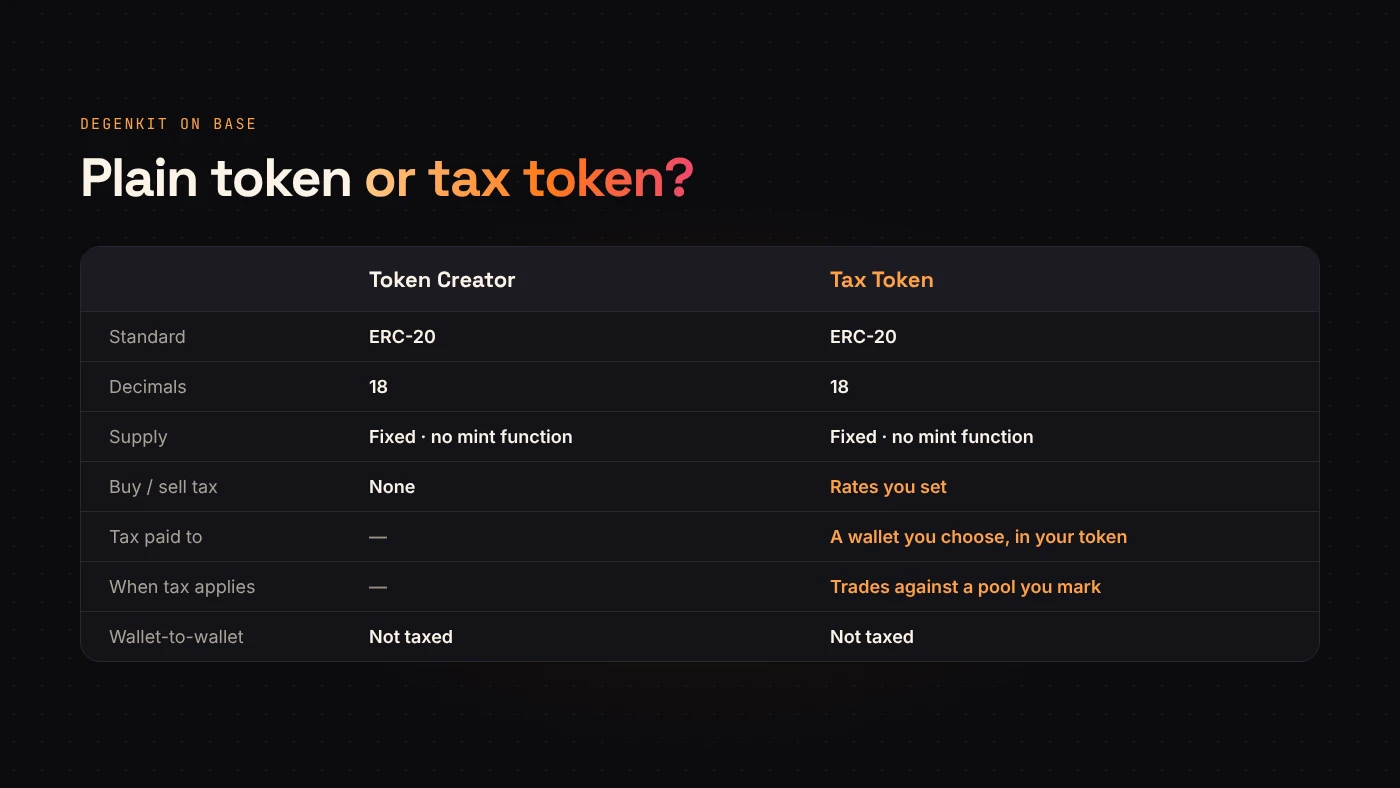
Token Creator makes a plain ERC-20 token with a fixed supply. It uses 18 decimals and the contract has no mint function, so the whole supply is created once and sent to your wallet.
Tax Token adds a buy tax and a sell tax that you set, paid in your token to a wallet you choose. The tax applies only to trades against a liquidity pool, and only after you add liquidity and mark that pool under My Tokens → Manage tax. Ordinary wallet-to-wallet transfers are not taxed.
Step 4: Create the token
Enter the name, symbol and supply. These are permanent once the transaction confirms, so check spelling and the number of zeros. Review the service fee and the network fee shown in your wallet, then approve.
DegenKit shows the contract address and transaction as soon as the token is created.
Step 5: Verify on BaseScan
Open the contract on BaseScan and compare it with your notes:
- The network is Base, not Ethereum or another layer 2.
- The name, symbol and decimals match.
- The total supply is correct and sits in your wallet.
- For a tax token, the rates and tax wallet match what you set.
After the token exists
Creating the token is one milestone. People can only trade it once a liquidity pool exists on a DEX that supports Base. If you created a tax token, mark that pool afterwards so the tax starts applying.
When you announce the launch, publish the full contract address with the network name. A token on Base is a different contract from a token with the same name on Ethereum or any other chain.
Questions people ask
Do I need a Coinbase account to use Base?
No. Base is a public network. A Coinbase account is just one convenient way to get ETH onto it.
Can I change the supply later?
No. DegenKit's Base tokens have no mint function, so the supply is final from the first transaction.
Wrap up
Launching on Base takes five steps: add the network, fund it with ETH, choose a token type, create it and verify it on BaseScan. Fees are low, but the decisions are permanent, so prepare them first. Open the Base creator on DegenKit when you are ready.