How to Launch a Token on BNB Chain: BEP-20, Gas and PancakeSwap
A step-by-step guide to creating a BEP-20 token on BNB Smart Chain — wallet setup, BNB for gas, plain or tax token, BscScan checks and adding liquidity on PancakeSwap.
 DegenKitOctober 31, 2026 · 4 min read
BNB Smart Chain is one of the busiest networks for new tokens. Alchemy's overview describes it as a high-performance, fully EVM-compatible chain that uses BNB for gas. For a creator, that means the same wallets and token standard as Ethereum, with BNB instead of ETH for fees.
Tokens on BNB Smart Chain are often called BEP-20 tokens. They follow the same interface as ERC-20.
What you need
- An EVM wallet such as MetaMask or Rabby.
- Some BNB on BNB Smart Chain for gas and DegenKit's service fee.
- Your name, symbol and total supply, checked twice.
- A decision between a plain token and a tax token.
Step 1: Add and switch to BNB Smart Chain
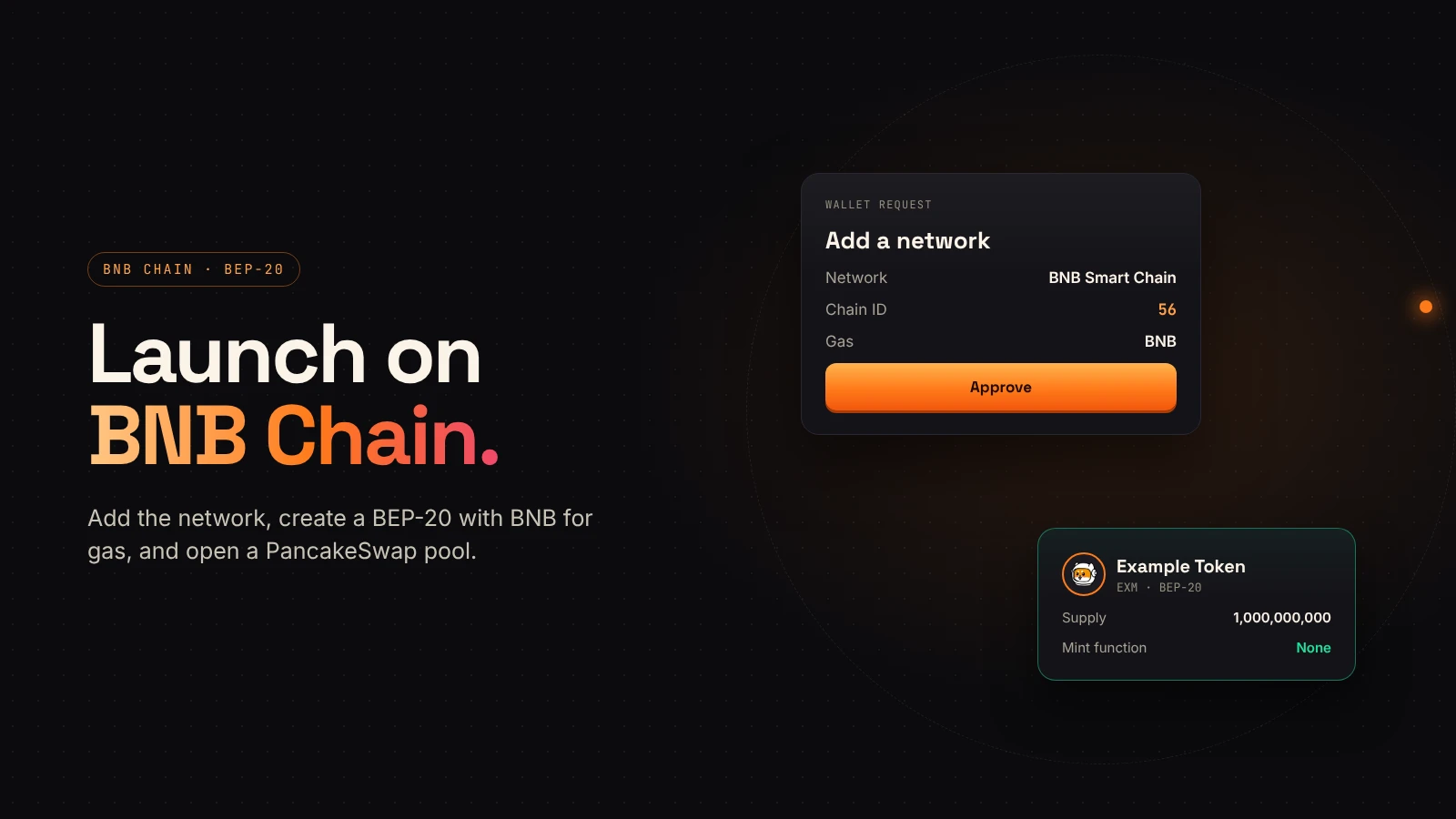
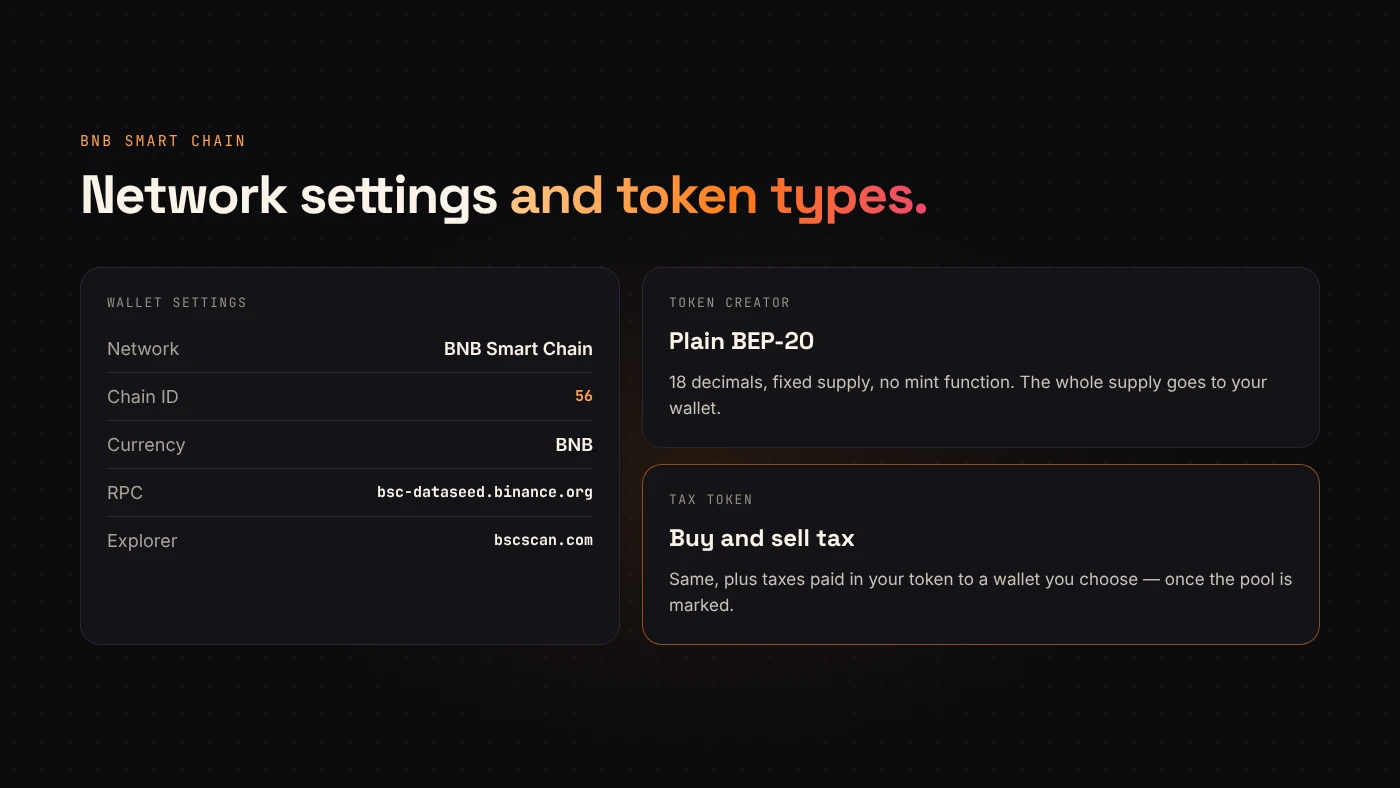
Open the BNB Chain launcher and connect your wallet. If the network isn't there yet, DegenKit asks your wallet to add it. The values are:
- Network name: BNB Smart Chain
- Chain ID: 56
- Currency: BNB
- RPC URL:
https://bsc-dataseed.binance.org - Explorer:
https://bscscan.com
Step 2: Choose plain or tax
Token Creator makes a standard token with 18 decimals and no mint function. The whole supply goes to your wallet and can never grow.
Tax Token adds a buy and sell tax that you set, paid in your token to a wallet you choose. Taxes only start once you add liquidity and mark the pool in My Tokens → Manage tax. Our guide to managing a tax token covers every control.
Step 3: Create and sign
Enter the details, review the service fee DegenKit shows and the gas estimate in your wallet, then sign. The token is created in one transaction, and DegenKit shows the contract address with a BscScan link.
Step 4: Check it on BscScan
Open the contract and confirm the network, name, symbol, 18 decimals, total supply and that your wallet holds it all. Our guide to reading a token page shows where each lives; BscScan uses the same layout as Etherscan.
Step 5: Add liquidity on PancakeSwap
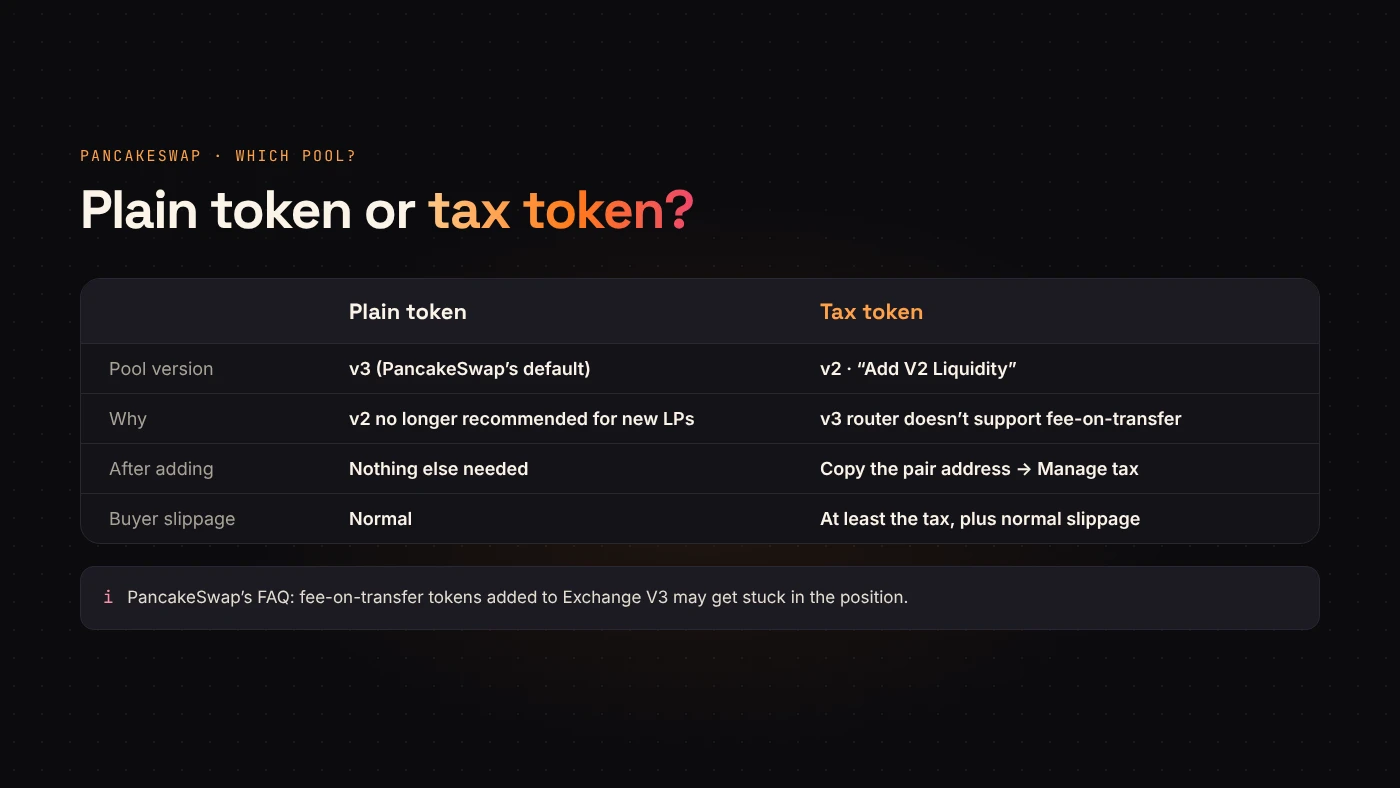
Most BNB Chain tokens trade on PancakeSwap. Which pool type you use depends on your token.
- Plain token: PancakeSwap recommends its v3 pools for new liquidity.
- Tax token: use v2. PancakeSwap's FAQ says not to add fee-on-transfer tokens to Exchange V3, because assets may get stuck in the position. Its developer FAQ confirms the v3 router doesn't support them. The FAQ explains how to reach the Add V2 Liquidity option.
After adding a v2 pool for a tax token, copy the pair address and mark it in My Tokens → Manage tax.
Questions people ask
Is a BEP-20 token the same as an ERC-20?
It uses the same interface, but it lives on a different network. A token on BNB Smart Chain is a separate contract from any token with the same name on Ethereum.
Can I change the supply later?
No. DegenKit's BNB Chain tokens have no mint function.
Wrap up
Launching on BNB Chain takes one transaction to create the token and a few more to add liquidity. Use BNB for gas, check BscScan, and pick a v2 PancakeSwap pair if your token has a tax. Open the BNB Chain launcher when your details are ready.