Managing a Tax Token: Rates, Pools, Ownership and Renouncing
After you create a tax token, the owner can change rates, the tax wallet and the marked pools. Learn what each control does, what buyers check, and what renouncing ownership freezes.
 DegenKitOctober 30, 2026 · 4 min read
A tax token keeps working after launch. On Ethereum, Robinhood Chain and DegenKit's other EVM networks, the wallet that owns it can still adjust how the tax works. That flexibility is useful, and it is also exactly what buyers want to understand before they trust the token.
If you are new to taxes, start with how buy and sell taxes work.
Where the controls live
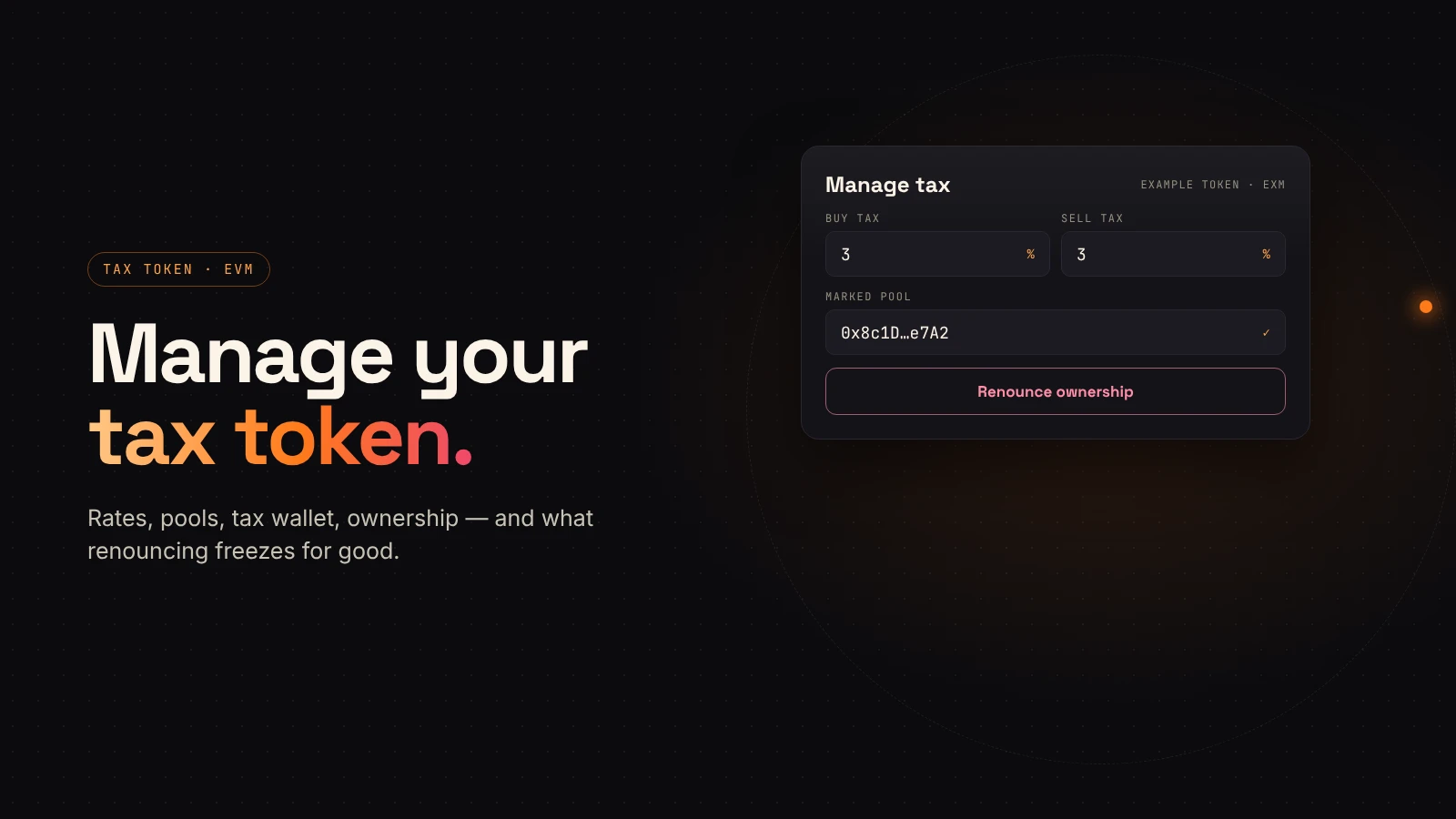
Open My Tokens on the network's launcher and connect the owner wallet. Each tax token shows its rates and owner. If your wallet is the owner, Manage tax opens five controls.
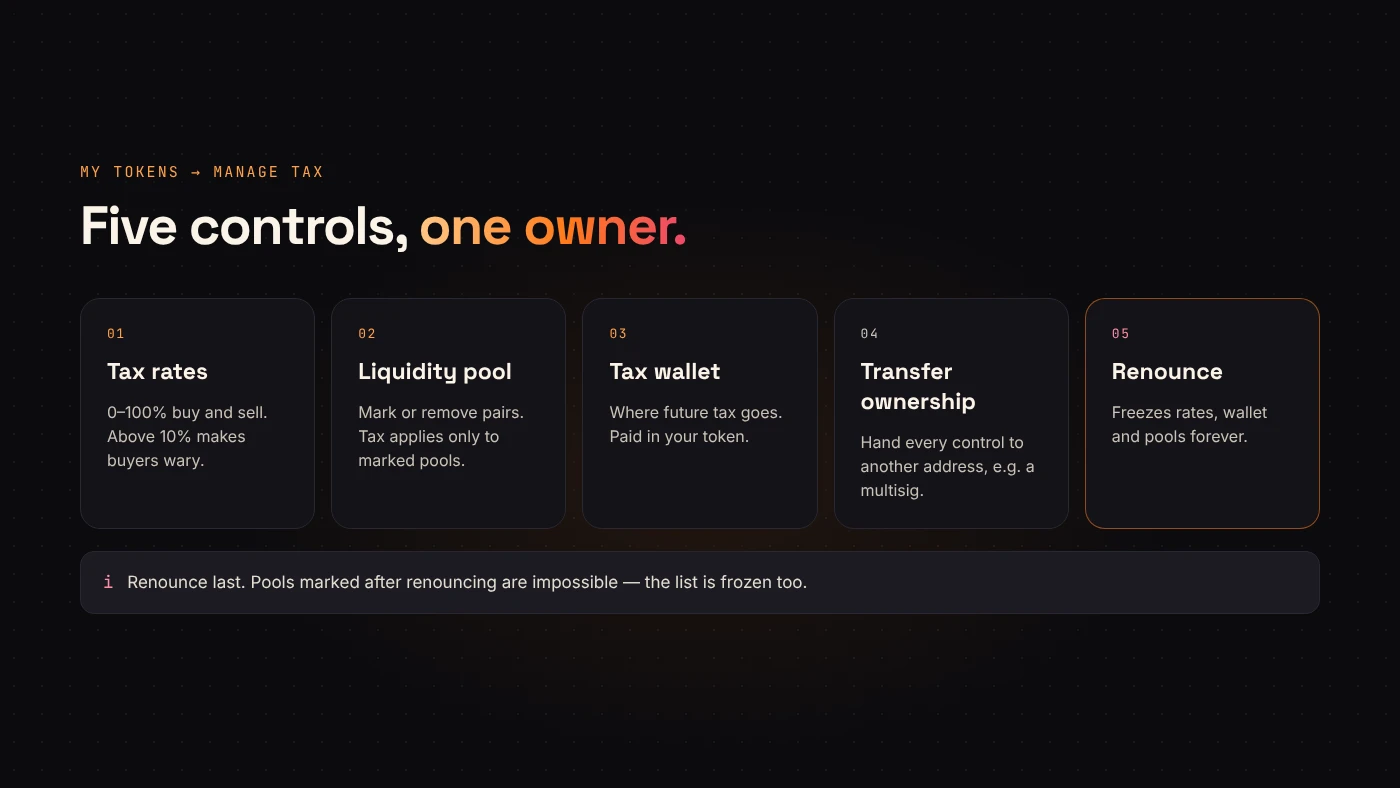
1. Tax rates
Set the buy and sell tax anywhere from 0% to 100%; 0% turns that side off. DegenKit's form warns that rates above 10% make buyers wary. A change applies to the next trade.
2. Liquidity pool
Taxes only apply to trades against pools you mark. After adding liquidity, paste the pair address and choose Mark as pool. You can also remove a pool from the list. Our guide to adding liquidity on Uniswap shows where to find that address.
3. Tax wallet
The tax is paid in your token to the tax wallet. You can point it at a different address at any time.
4. Transfer ownership
Hands every control to a new address, such as a multisig. You lose control immediately. DegenKit warns that a wrong address can't be recovered, so double-check it.
5. Renounce ownership
Sets the owner to nobody. The tax rates, tax wallet and marked pools are frozen forever. Nobody can change them afterwards, including you. My Tokens then shows the token as Ownership renounced · taxes frozen.
What buyers see
Anyone can read the contract on Etherscan or Blockscout. The buy and sell rates are stored in basis points, so 300 means 3%. If an owner exists, buyers know the rates could be raised later. A renounced token shows the zero address as owner.
DegenKit's tax token has no blacklist, no pause and no trading switch. The owner's powers are limited to the controls above, but those still matter.
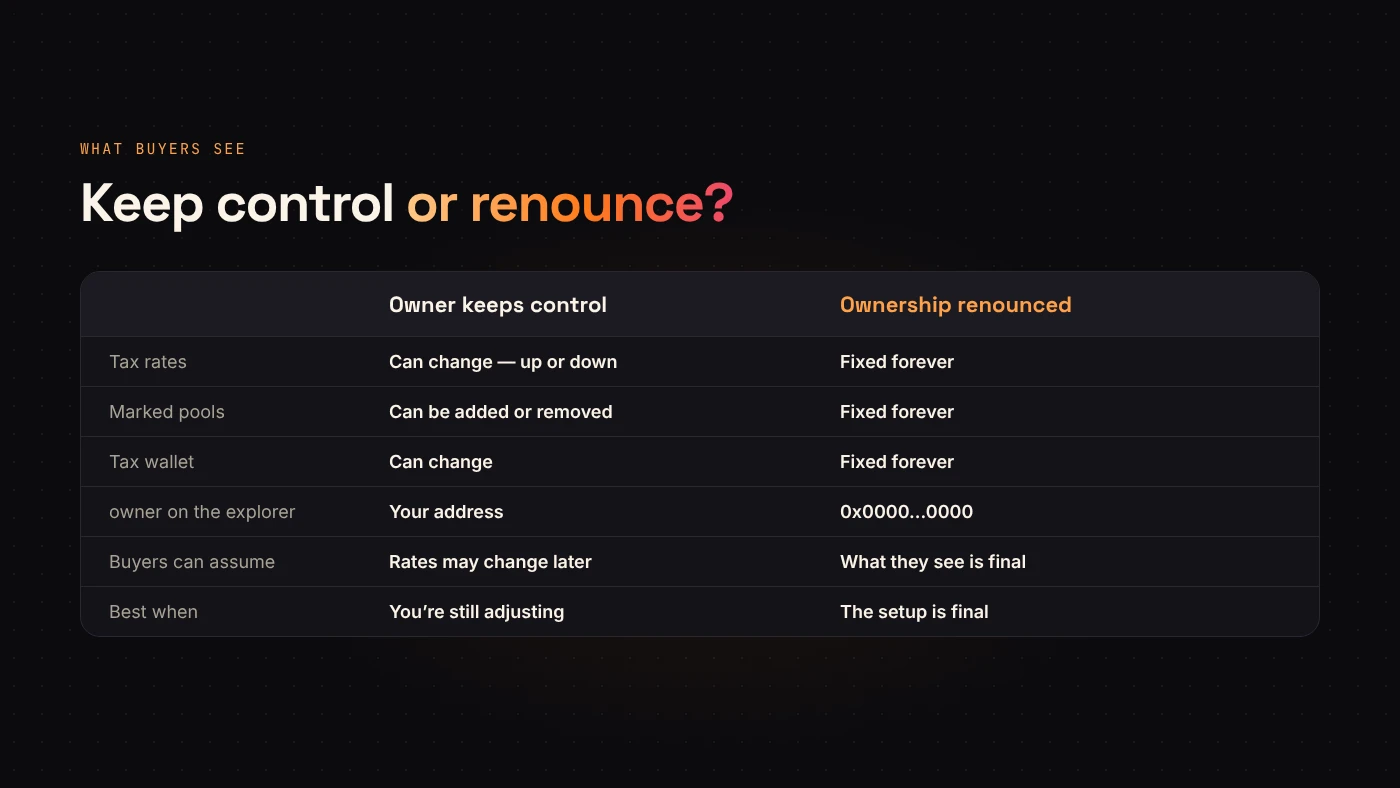
Keep or renounce?
Keep ownership if you expect to lower taxes over time, add pools on other DEXs or change the tax wallet. Say publicly what you plan and why.
Renounce once the setup is final and you want buyers to know it can never change. Check the pools, rates and wallet carefully first.
Transfer to a multisig if you want flexibility but not one person holding the keys.
Questions people ask
Can I undo a renounce?
No. Once the owner is the zero address, no one can call the owner functions again.
Does changing the tax wallet move tokens already collected?
No. It only changes where future tax goes.
Wrap up
A DegenKit tax token gives its owner five controls: rates, pools, tax wallet, transfer and renounce. Mark your pool before anything irreversible, explain your choices and share the transactions. Manage it from My Tokens on the Ethereum or Robinhood Chain launcher.