How Buy and Sell Taxes Work on a Token
Understand buy and sell taxes, follow a simple token-flow example, and learn what to check before creating a tax token on BNB Chain.
 DegenKitOctober 17, 2026 · 5 min read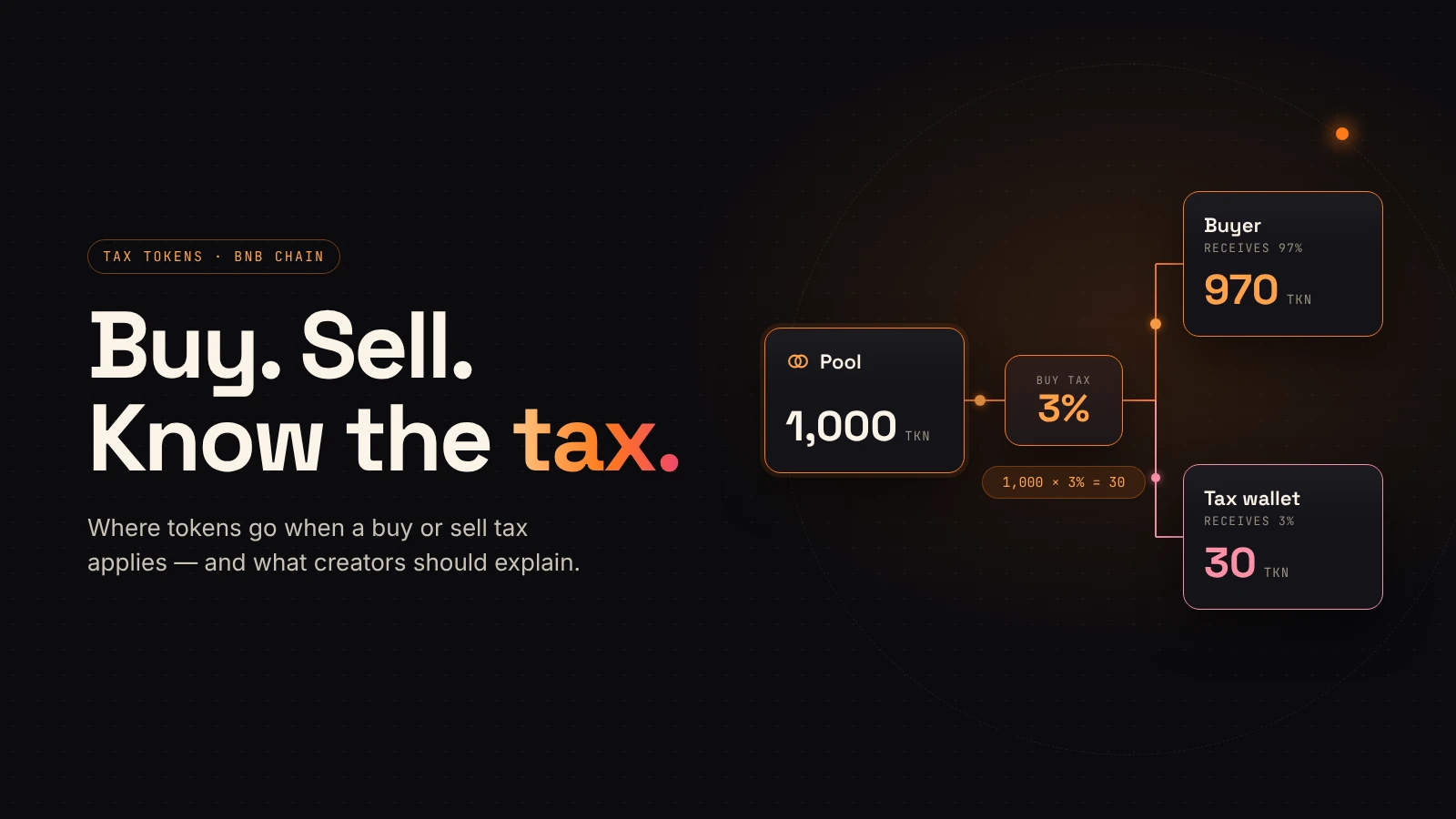
A tax token can look like a regular token in a wallet, but an eligible trade may move part of the token amount to a separate fee wallet. Before you choose a buy tax or sell tax, understand that movement, who controls it, and when it applies.
This guide explains the mechanics using DegenKit's BNB Chain tax-token form. The numbers are teaching examples, not recommended settings or a forecast of trading activity.
What is a buy tax or sell tax?
A buy tax applies when an eligible purchase sends tokens out of a recognized liquidity pool. A sell tax applies when an eligible sale sends tokens into that pool. The contract determines which transfers qualify and how the fee is calculated.
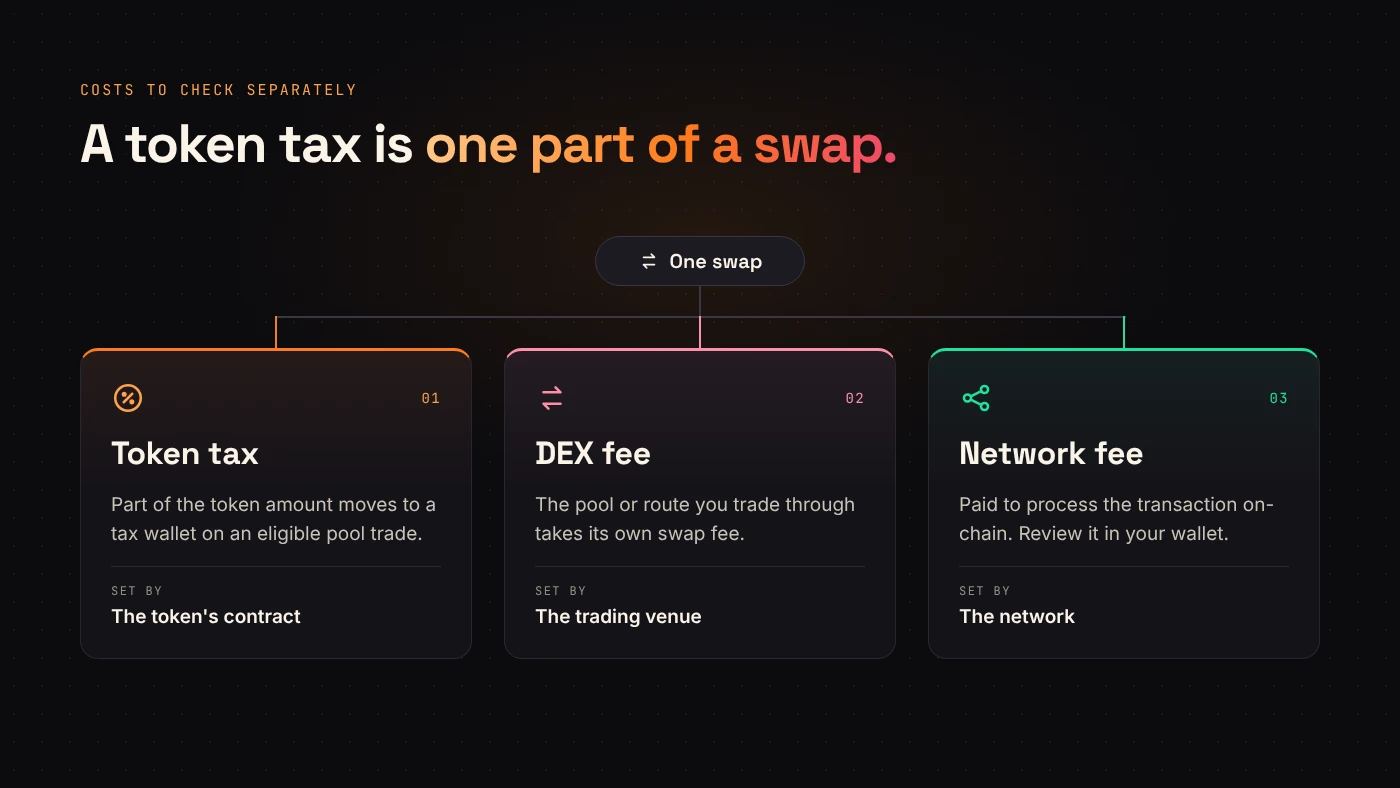
Uniswap's explanation of token fees describes these charges as token-level fees. They are separate from a network transaction fee or a DEX's own swap fee.
On DegenKit's current BNB Chain form, the tax is paid in the project token to a chosen tax wallet. The form describes ordinary wallet-to-wallet transfers as untaxed. That is a property of this implementation; other tax-token contracts can behave differently.
Follow 1,000 tokens through a simple example
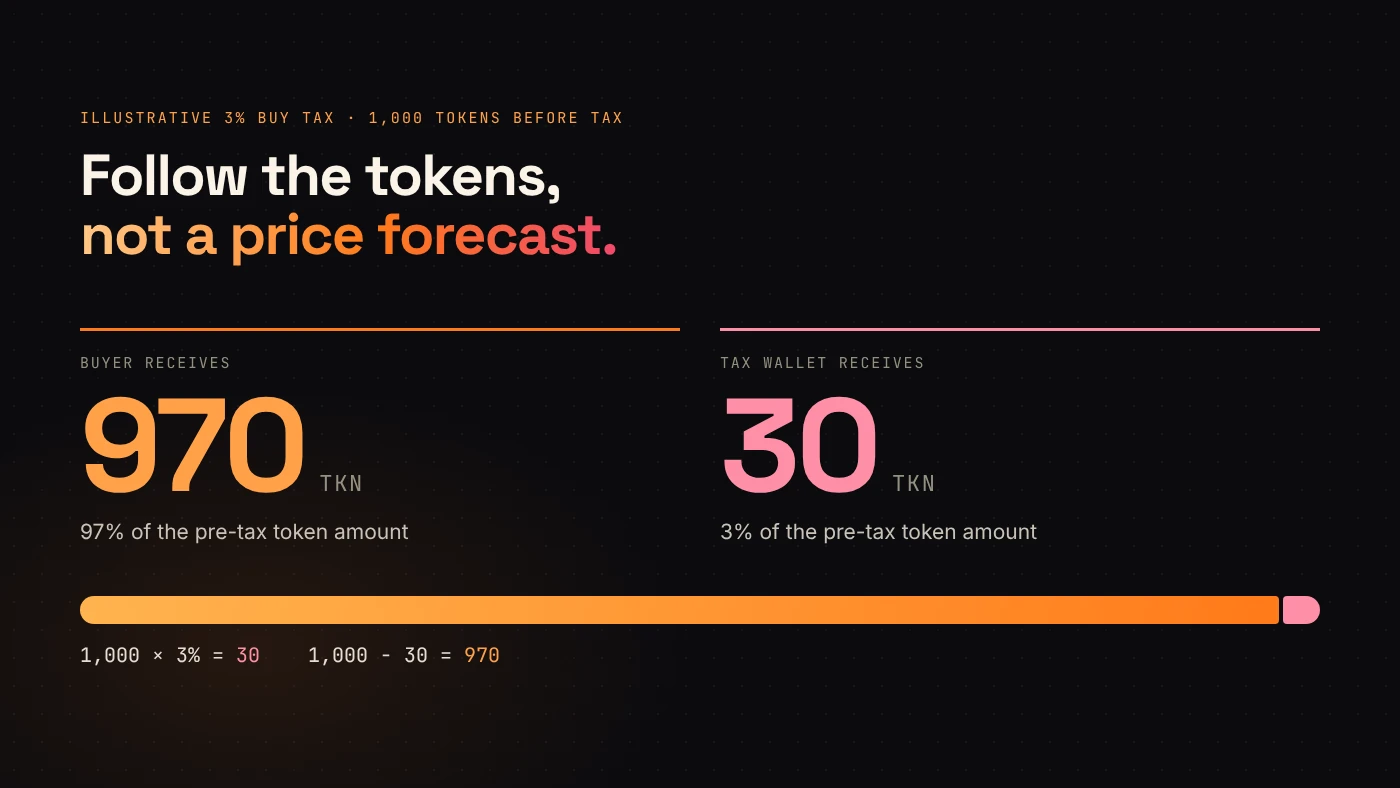
Assume an eligible buy would transfer 1,000 tokens before a hypothetical 3% buy tax. The token-level calculation is:
- Tax amount:
1,000 × 0.03 = 30 tokens. - Buyer receives:
1,000 − 30 = 970 tokens. - Tax wallet receives:
30 tokens.
This example describes token movement. It does not predict the token price, the buyer's total transaction cost, or the amount of another asset spent on a swap. It also excludes any special exemptions.
Buy and sell rates are separate decisions
A buy rate and a sell rate do not have to match. If an eligible sale transfers 1,000 tokens and the hypothetical sell tax is 5%, the fee is 50 tokens and 950 tokens proceed toward the pool. The eventual swap output also depends on the pool and execution.
Write down both rates before deployment. Explain who receives the tokens and why that wallet exists. A percentage alone does not tell readers whether a treasury has a clear spending policy.
Create the token, then configure its trading context
The DegenKit BNB Chain launcher exposes a Tax Token section with a name, symbol, supply, buy rate, sell rate and tax wallet.
- Prepare the token identity and check the receiving wallet address.
- Enter the intended rates and review the form summary.
- Review the transaction in your wallet before signing.
- Confirm the deployment and contract address on the explorer.
- Add liquidity through a compatible DEX workflow.
- Follow the launcher's instructions to mark the liquidity-pool address under My Tokens → Manage tax.
The current form says taxes start applying after liquidity is added and the pool is marked. Token creation alone does not complete those steps. Use the actual pool address rather than a router address or a personal wallet.
Check permissions and DEX compatibility
DegenKit's BNB Chain tax form says the owner can change rates and the tax wallet. It also describes renouncing ownership as a way to freeze those controls. Review the contract's actual permissions and finish the required configuration before considering an irreversible change.
Compatibility deserves its own check. Uniswap v3's integration documentation states that fee-on-transfer tokens do not work correctly with its standard router contracts. Do not assume that a pool, router or aggregator supports a token simply because the chain matches.
Questions worth answering before launch
Does a tax create guaranteed revenue?
No. A fee setting does not create demand, trading volume or a stable token value. The tokens collected may have little or no market value.
Is the tax paid automatically in BNB?
The current DegenKit BNB Chain form says the tax wallet receives the project token. Do not describe that as an automatic BNB payment.
What should the project publish?
Publish the buy rate, sell rate, tax wallet, eligible-pool behavior and remaining owner controls. Keep those explanations current when settings change.
Wrap up
A useful tax-token explanation follows the tokens: which transfer triggers a fee, how much is deducted, where it goes and who can change the rules. Ready to configure those choices? Explore DegenKit's tax-token launcher.